Several Telegram bots, and merging two businesses
A business can keep more than one Telegram support bot, and an admin who runs two businesses can move one into the other after a preview.
Product update 2 min read
What changed
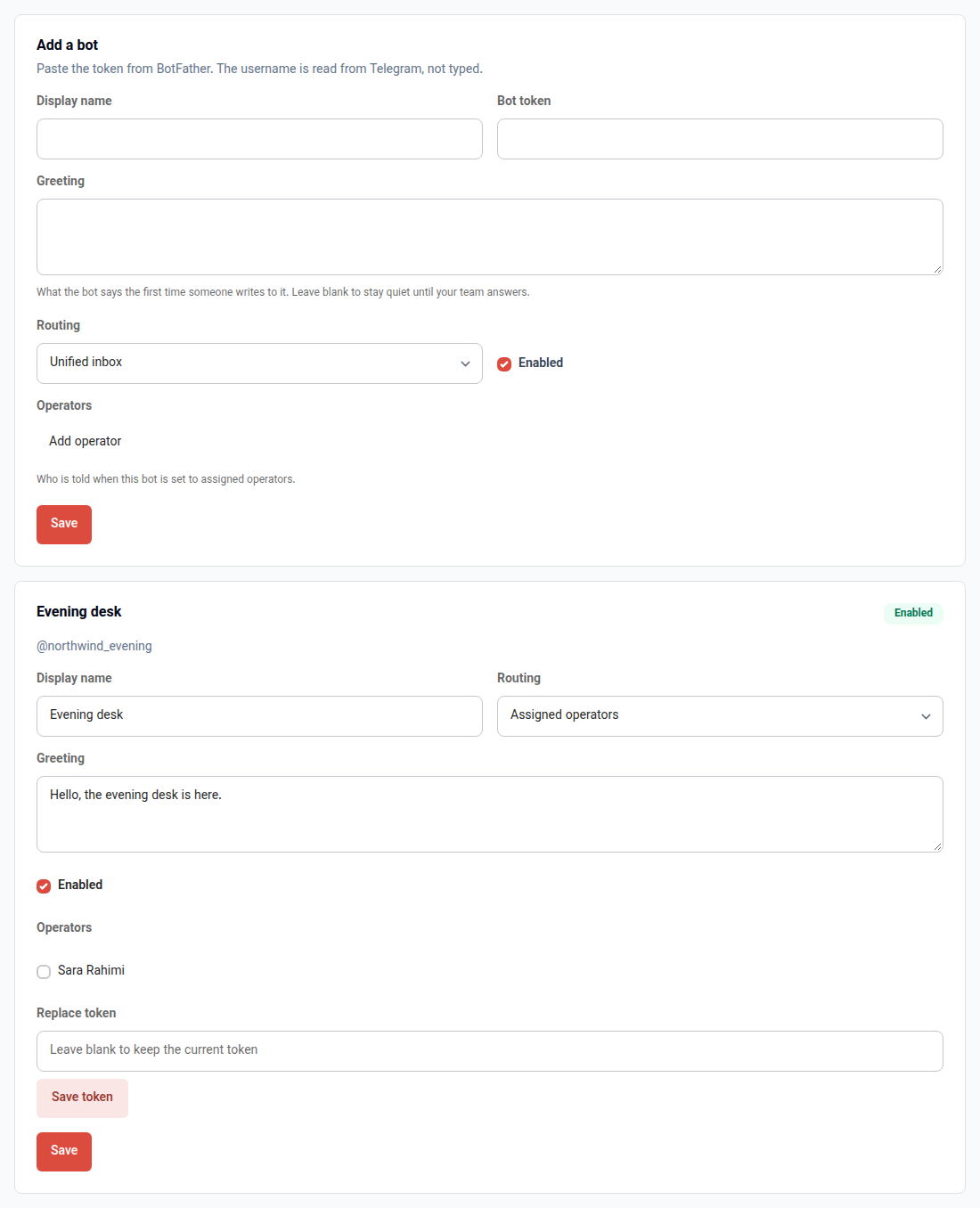
A business is no longer limited to one Telegram bot. Each bot has its own token, name, greeting and on/off switch, and you can name the people who should hear about it. Messages still arrive in the same inbox, marked with the bot that received them, and a reply goes back out through that bot.
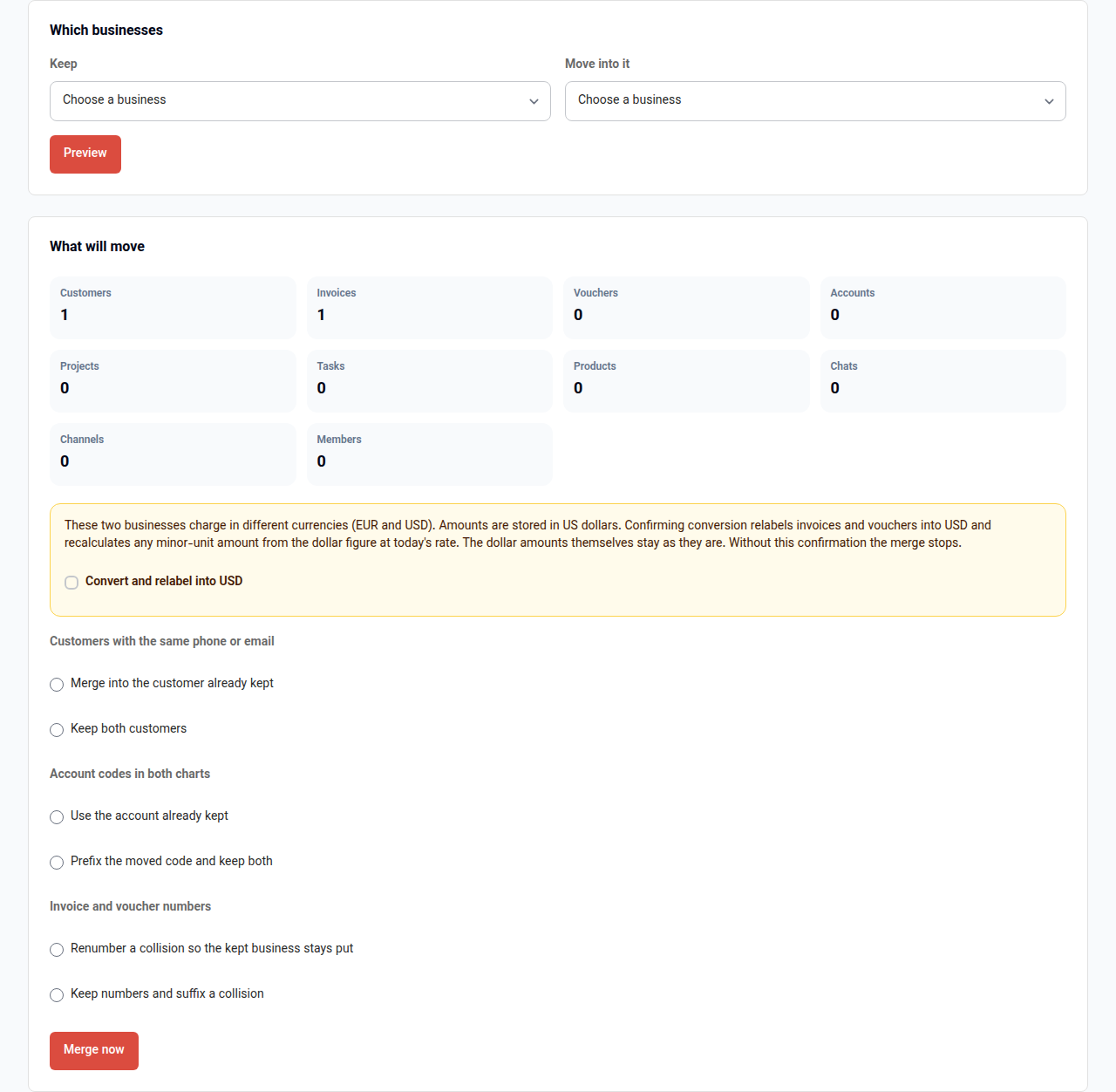
An owner or admin of two businesses can merge one into the other. Customers, invoices, books, work and chats move across. The screen shows the counts and the clashes first. If the two businesses charge in different currencies, the merge waits until you confirm the conversion. The business you moved from is archived. It is not deleted.
Links in a Telegram or email message now open the panel for your region, even when another app on the same installation sent the message.
How to use it
- Open Messaging channels, choose the business, then Telegram bots.
- Paste the token from BotFather, name the bot, and press Save. Each card saves on its own.
- Open Businesses dashboard, then the Merge businesses tab. Choose which business stays and which one moves, press Preview, then Merge now.
Good to know
- Only the owner or an admin of both businesses can merge them. A large merge finishes in the background.
- Dollar amounts stay in dollars. Confirming a currency difference only relabels invoices and vouchers into the currency of the business you keep.
- A bot that is switched off stops taking messages and will not send replies.