See the result of a form wherever you are on the page
After a save or an error, a notice or a window opens. If the message on the page is off screen, the page moves to it.
Product update 2 min read
What changed
A green “your suggestion arrived” banner used to sit at the top of the page while you were still at the bottom of the form. The “details must be at least 10 characters” error was just as easy to miss.
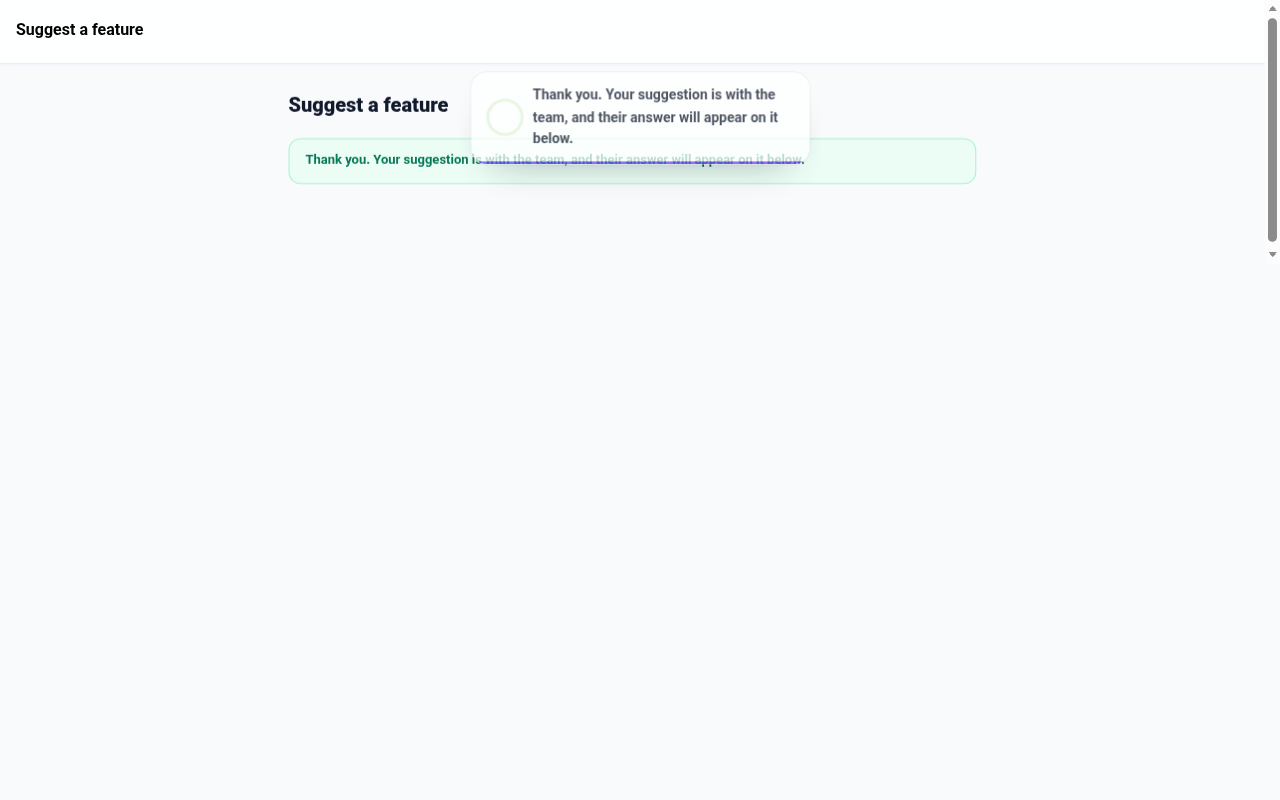
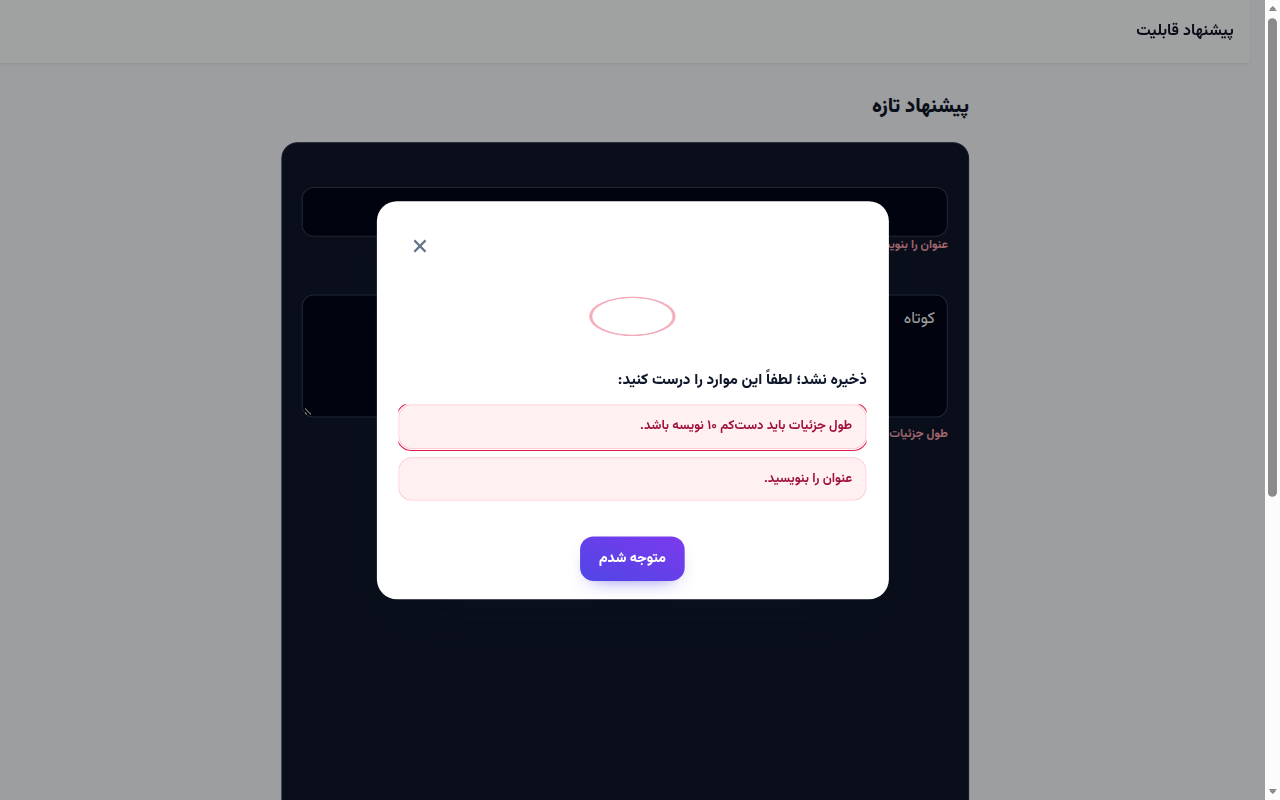
Sending a form now also says the result out loud. A success is a notice at the top of the screen that closes itself after a few seconds. An error is a window that lists each problem, and choosing one puts the cursor in that field. If the banner or the error is off screen, the page moves to it.
How to use it
- Fill in the form as before. For a feature idea, open Suggest a feature from your account.
- Press the submit button.
- When it goes through, the green notice appears at the top. The banner on the page stays where it was.
- When something is missing, the error window opens. Press the line to land in that field.
Good to know
- This is how forms across the panel behave, not only Suggest a feature.
- The banner on the page is still there. The notice is for when you are at the bottom and cannot see it.
- If you have turned motion off on your device, the page jumps instead of gliding.