Open a project's tasks directly and paste suggestion screenshots
Project names, pictures and Edit now open the board. New projects take you straight to their tasks, and suggestion screenshots can be pasted from the clipboard.
Product update 1 min read
What changed
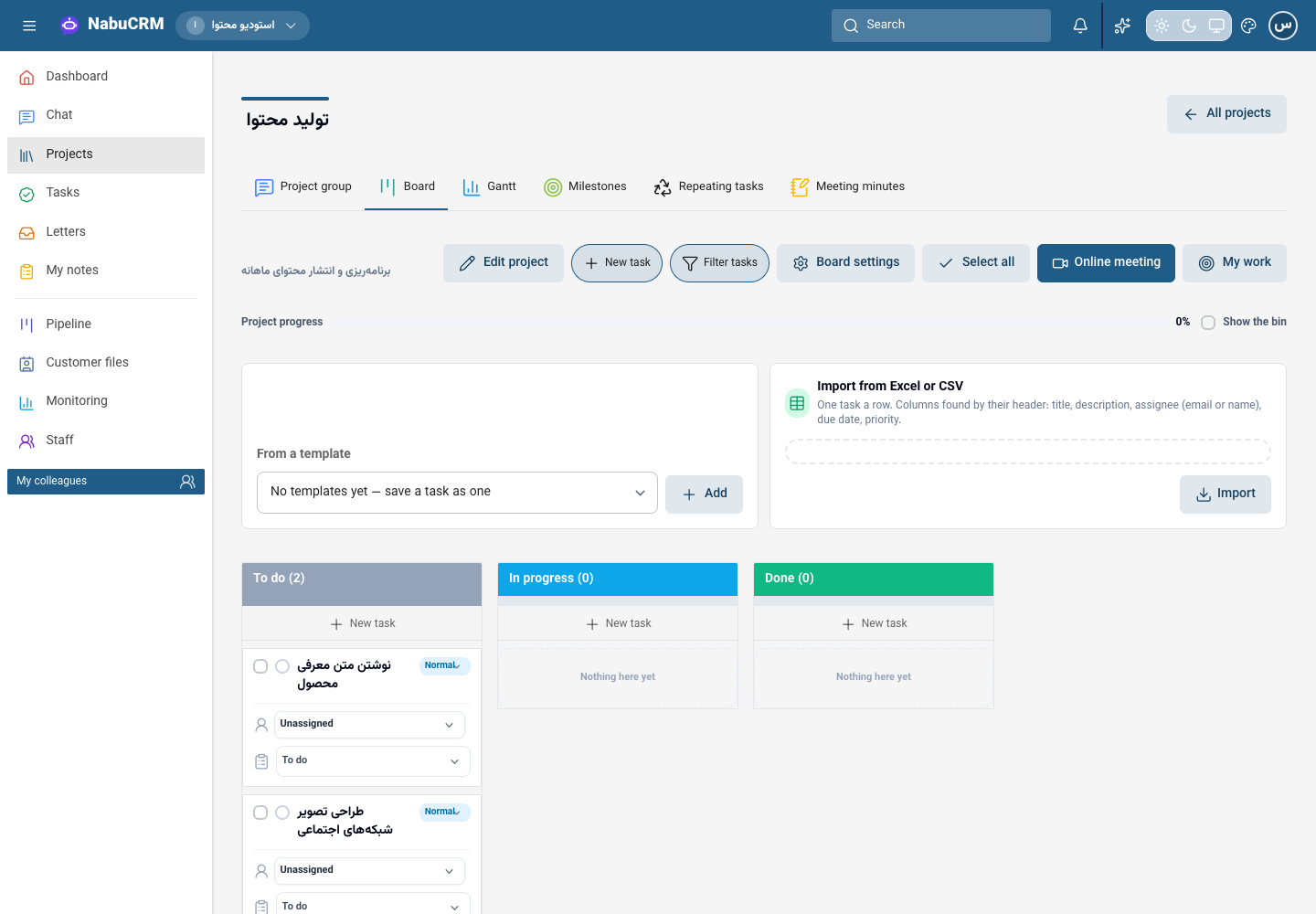
The project name, picture and Edit link now open its board so you can see and work on tasks immediately. Creating a project also takes you straight to its board. Edit project inside the board opens the project's details.
How to use it
- Open Projects and tasks and select a project's name, picture or Edit.
- Work on its tasks. To change its name, owner, description or billing details, choose Edit project.
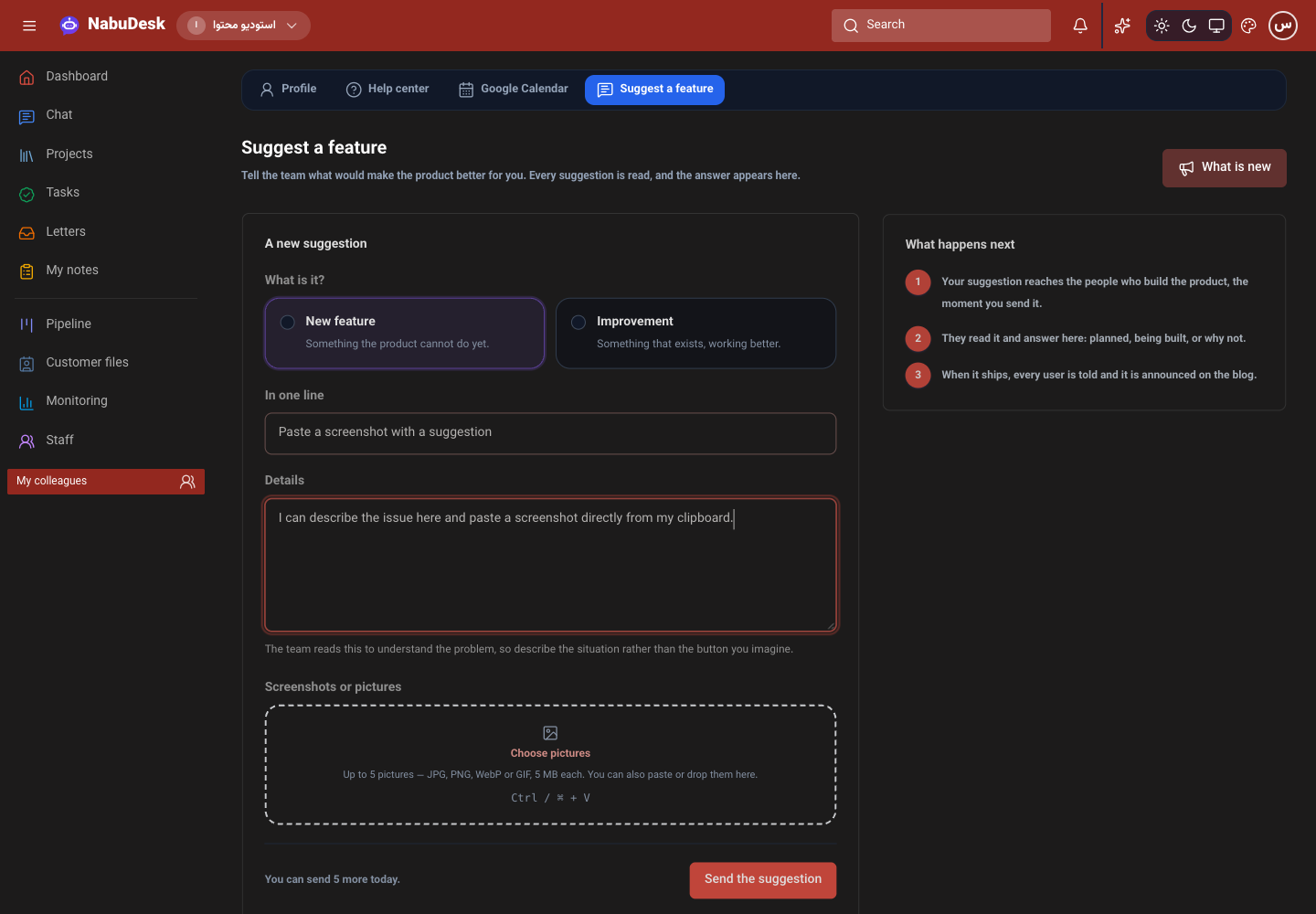
- On Suggest a feature, copy a screenshot, click in the form and press Ctrl+V or ⌘+V. The picture joins the attachments. Browsers that expose clipboard pictures as items are also supported.
Good to know
You can attach up to five JPG, PNG, WebP or GIF pictures, each up to 5 MB. Pasting ordinary text still works as usual. Project access and editing permissions stay the same.