Every screen checked on a phone — cut-off pages, unstyled buttons and a hidden microphone fixed
All 190 panel and public screens were opened at phone width and checked one by one. Pages that ran past the edge now fit, the calendar shows the whole month, the assistant's buttons have colour again and the voice recorder shows in the top bar.
Product update 2 min read
What changed
Every screen of the panel and the public pages was opened at iPhone width (375 px) and checked for content running past the screen, controls too small for a thumb and text squeezed into a sliver. What was wrong is fixed:
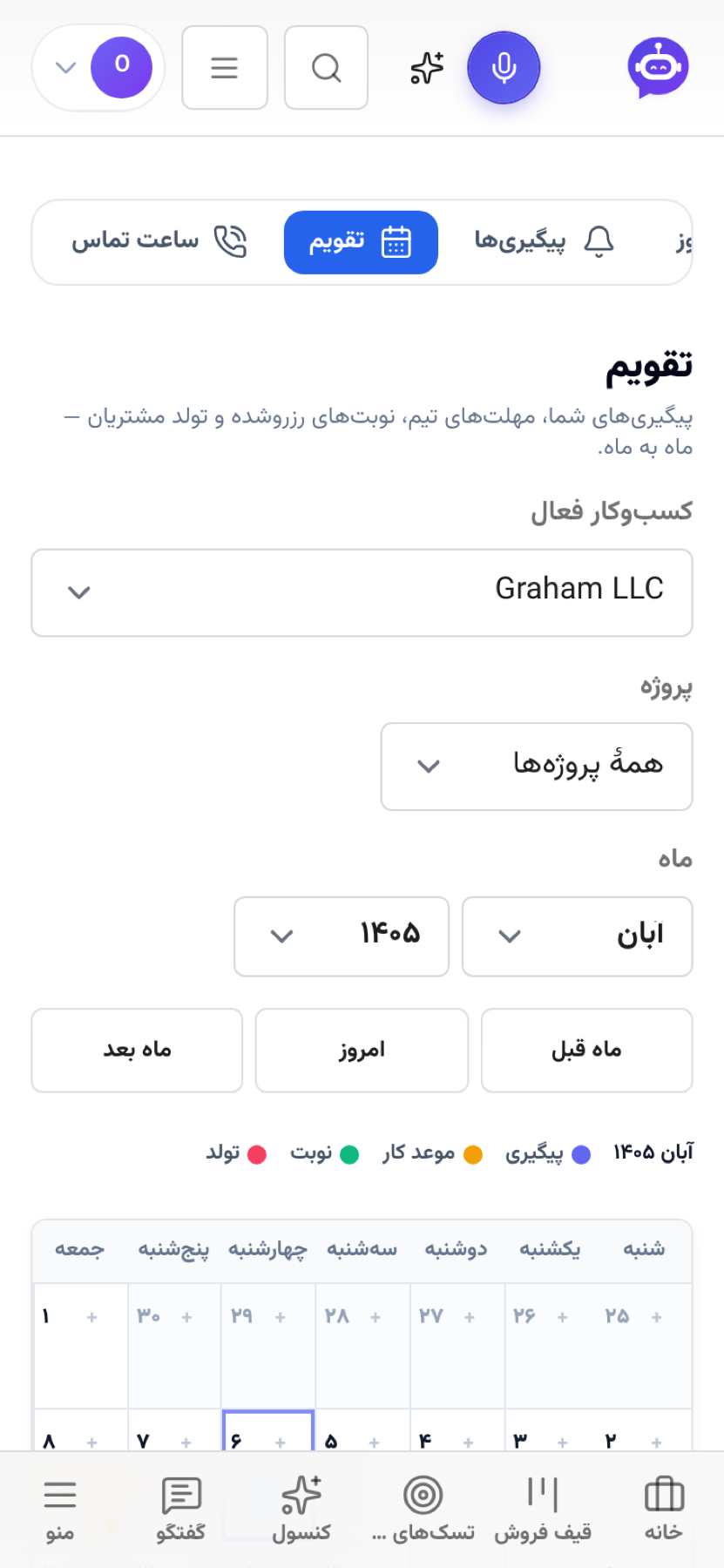
- Calendar: on a phone the month fits the screen — day numbers with coloured dots instead of a grid that scrolled sideways and showed three days of seven. The year box no longer cuts «۱۴۰۵» off.
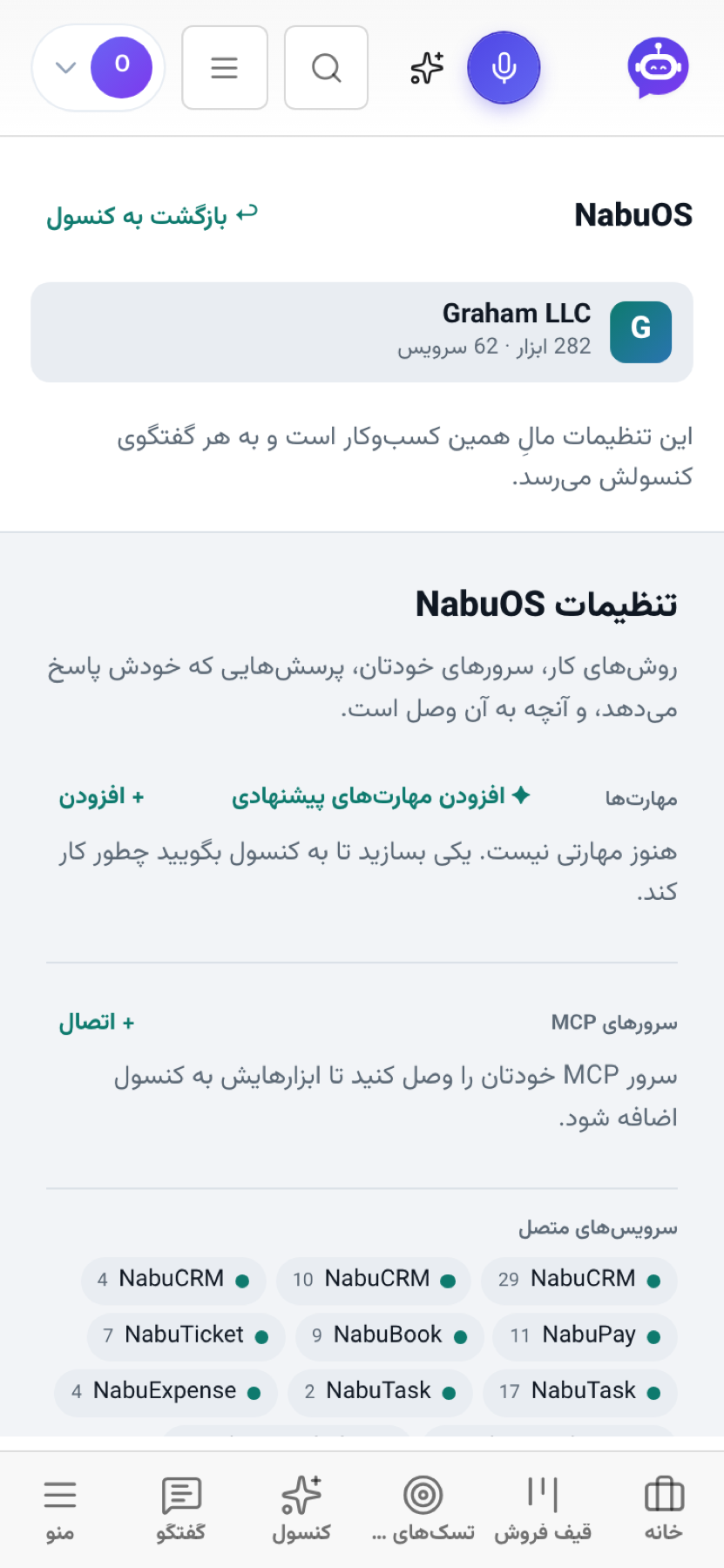
- NabuOS settings and "What the console remembers": their sections ran past the left edge of the screen; they fit now, and the memory page has its margins.
- Connect to AI: the client cards (Claude, ChatGPT, Cursor…) were cut off on the right; they fit, and the settings JSON scrolls inside its own box.
- Assistant (Attendance): the Clock in / Clock out buttons were white on white and the cards had no frame; they look like the rest of the panel now.
- Top bar: the voice-recorder microphone, invisible until now, shows beside the AI button; on a small phone the logo stands alone instead of a half-cut «مدیر…», and the AI button is a full thumb's size.
- Section tabs: the bar of tabs under the top bar opens with the tab you are on in view, not cut off at the edge.
- Smaller fixes: Metro tiles keep their label clear of the list button, meeting rooms no longer squeeze their name, the Leaderboard's fields are readable, the Stock header links wrap, and the Uniom pages no longer make the phone zoom out.
How to use it
Nothing to switch on: open the panel on your phone as usual.
- Open "Calendar" — the whole month is on screen; the list below it spells out each day's items.
- Open "AI console" → "Settings" — every section fits the screen.
Good to know
- The calendar's dots use the same colours as its legend; a title is still read out by a screen reader.
- On a wider screen (from a tablet up) the calendar keeps its full grid with titles.