Digikala orders become customers and invoices by themselves
Connect your Digikala seller account: orders you ship yourself arrive with the buyer's name and phone as a customer and an invoice, orders sent from the Digikala warehouse land in the books as sales, and your catalogue price and stock can be kept up to date on Digikala.
Product update 2 min read
What changed
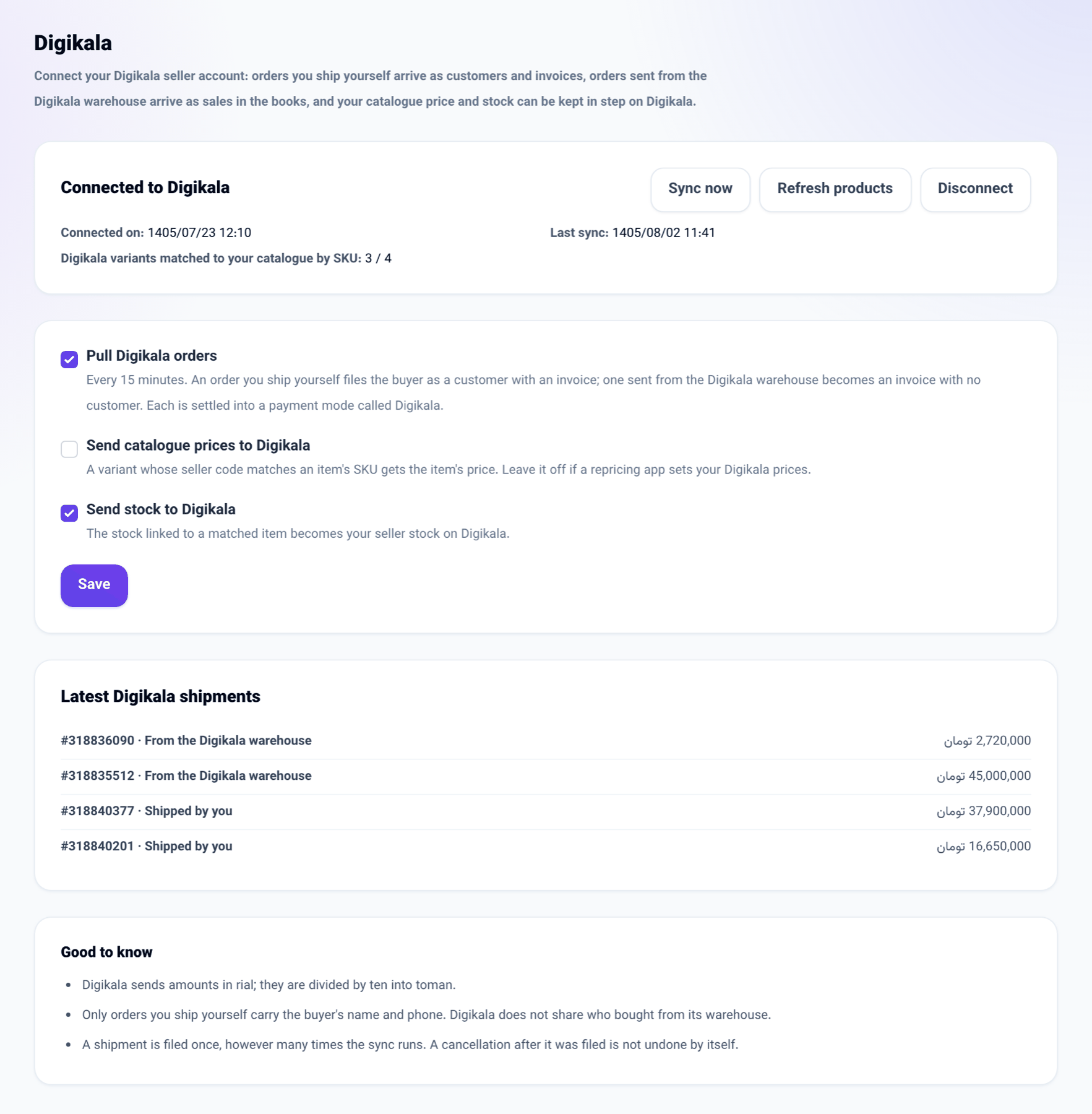
Until now every Digikala order had to be typed into the panel by hand. Now:
- Orders you ship yourself (ship by seller) arrive with the buyer's name and phone. The buyer becomes your customer on the Digikala list, and each shipment becomes an invoice with its item lines and the delivery fee. When the catalogue item is linked to stock, the stock goes down too.
- Orders sent from the Digikala warehouse carry no buyer, because Digikala does not share who bought them. They become invoices with no customer, so the sale shows in the books.
- Each invoice is settled into a payment mode called Digikala. That mode's balance is the money Digikala holds for you until it settles.
- If you want, your catalogue price and stock are sent to your Digikala variants. A variant is matched by its seller code on Digikala against the item's SKU in your catalogue.
How to use it
- Go from Connections book to Digikala.
- Press Connect Digikala, approve access to orders and variants on Digikala, and you come back to the panel.
- Tick Pull Digikala orders and press Save. To send prices or stock as well, also tick Send catalogue prices to Digikala or Send stock to Digikala.
- Orders arrive every 15 minutes. Press Sync now to see them at once. Refresh products reads your variants again and matches them to the catalogue.
Good to know
- Digikala sends amounts in rial; the panel divides them by ten and records them in toman.
- A shipment is filed once, however many times the sync runs. A cancellation that comes after a shipment was filed is not undone by itself.
- Connecting Digikala is available once the server's administrator has registered the platform's app with Digikala, which Digikala does by email, app by app. Until then the Digikala page explains this instead of showing the button.
- If a repricing app sets your Digikala prices, leave Send catalogue prices to Digikala off and send only stock.
- Only someone who manages the business sees this page.