Business settings on one page, with the currency's own mark beside the amount
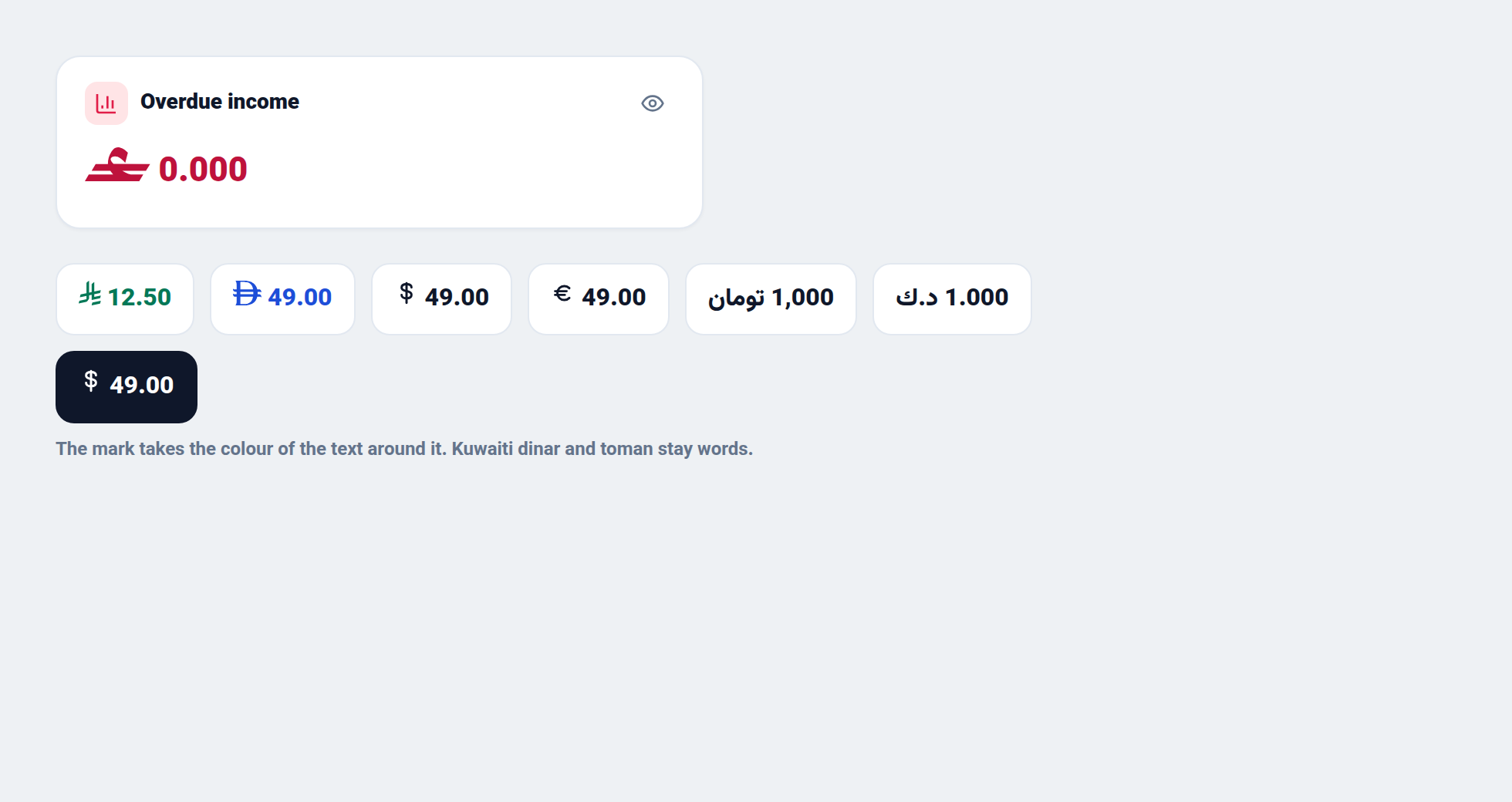
Editing a business is now a settings page with a section list and one save bar. Amounts draw the currency's mark — the Omani rial, the Saudi riyal, the dirham, and the dollar, euro and pound — in the colour of the text around them.
Product update 2 min read
What changed
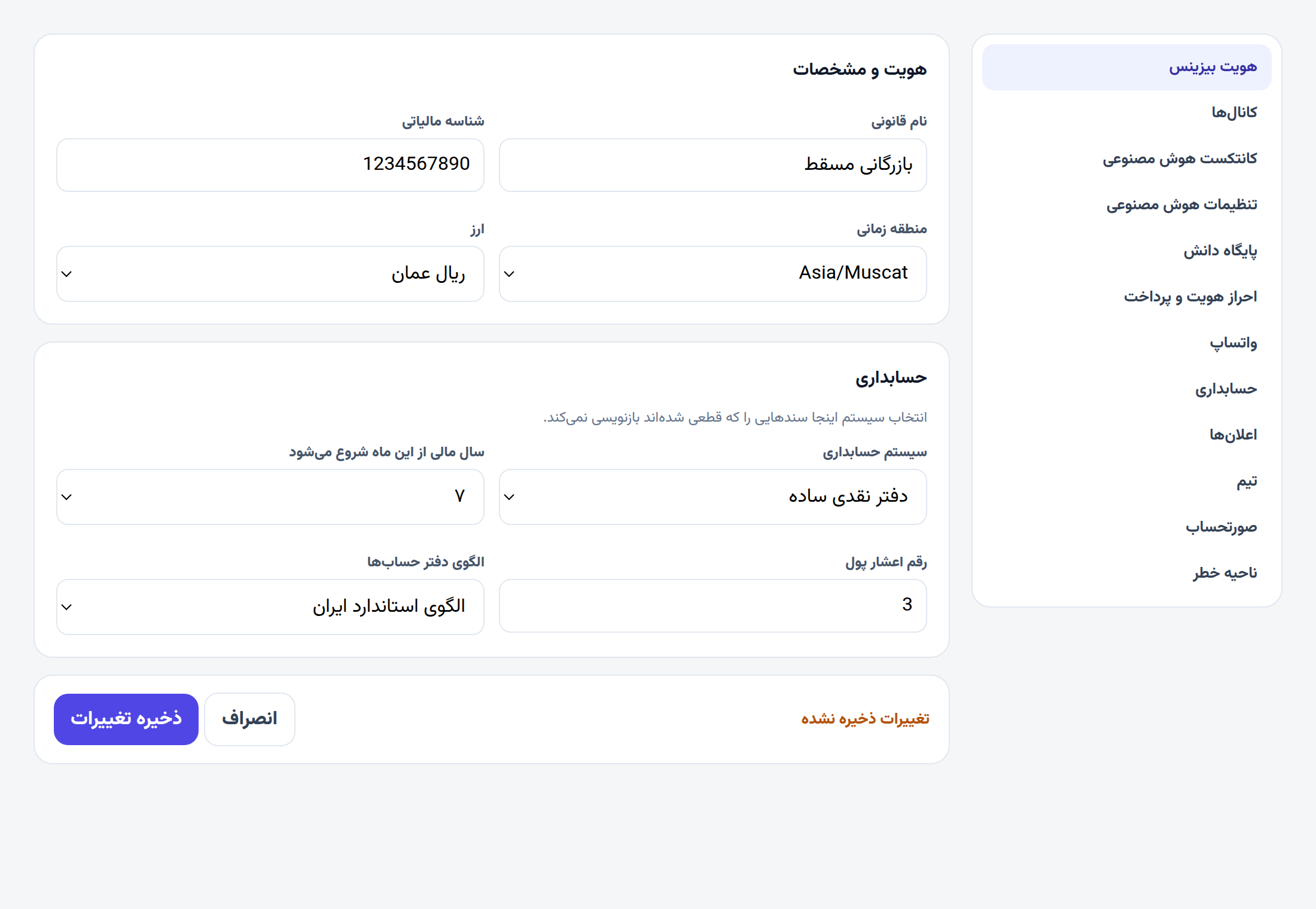
Editing a business used to walk through five steps, and Save changes only appeared on the last one. The same page is now a list of sections you can open in any order: Business identity, Channels, AI context, AI settings, Knowledge base, Identity verification & payment, WhatsApp, Accounting, Notifications, Team, Billing, and — for the owner — Danger zone. A bar at the bottom stays put. It reads Unsaved changes until you choose Save changes or Cancel, and leaving the page while that is showing asks first.
Creating a business for the first time still uses the stepped setup.
Money on the panel, on invoices, in the books, on statements and in emails now draws the currency's mark next to the number, at the size of the text and in the same colour. Overdue income in Omani rial is the official rial mark in red. The Saudi riyal, the UAE dirham, the Turkish lira, the dollar, the euro and the pound have their own marks. Toman, the Kuwaiti dinar and the other currencies that have no published mark stay written out.
How to use it
- Open Businesses and choose Edit on the business. The page title is Edit Business.
- Pick a section in the list — Business identity, Accounting, AI settings, and the rest.
- Change what you need. The bar reads Unsaved changes. Save changes keeps them; Cancel puts the page back.
- In Accounting, choose Simple cash book or Double-entry bookkeeping, the month the year starts, and how many decimals money uses. Apply this chart adds the template's accounts. It leaves vouchers you have already posted as they are.
- In AI settings, pick a model for each task, or paste your own gateway key. The key is stored encrypted, and only its last four characters come back.
Good to know
- Only an owner or an admin can open this page and save. A sales seat is turned away.
- A field that does not pass jumps the page to the section that holds it.
- Capital and drawings already have their own accounts, so a chart template does not add them again.
- Spreadsheets, text messages and exports keep the written abbreviation, so a file still says 0.000 ر.ع.
- The mark takes the colour of the text: red when the amount is overdue, green for income, white on a dark button.