Unpaid website orders — ask the customer why
When an order on your WooCommerce site is cancelled or never paid, the CRM asks the customer why on Telegram, Bale, WhatsApp or SMS, files the answer on their customer file and moves the lead.
Product update 3 min read
What changed
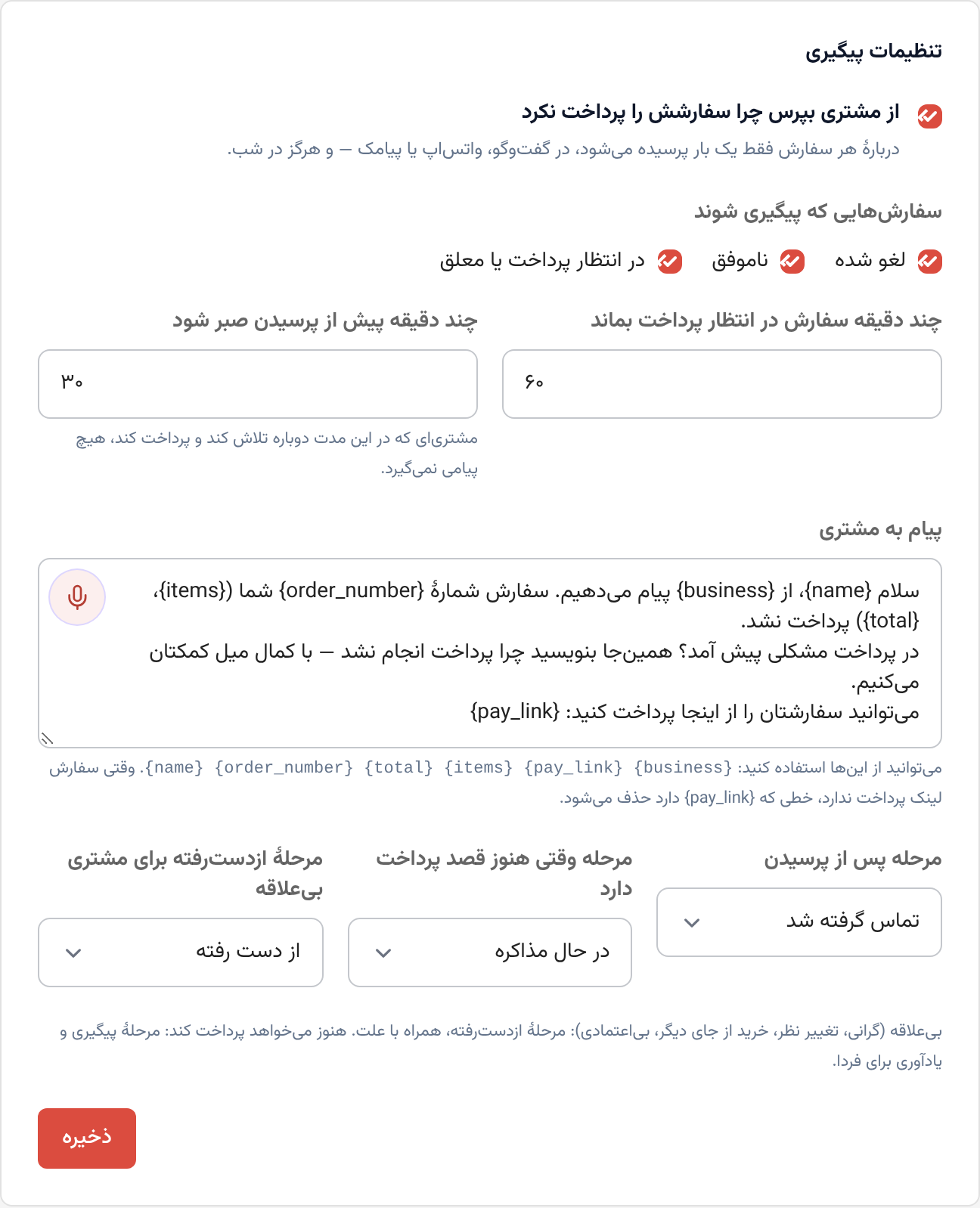
- Asked automatically. An order that was cancelled, failed, or stayed waiting for payment gets one message after a short wait: "Your order #7498 was not paid — did something go wrong?", with the pay link when the order can still be paid. It goes through the customer's chat with your bots, your business WhatsApp number or SMS, and never at night. A customer who retries and pays in the meantime gets nothing.
- On the customer file. The customer is found or filed by phone (or email) and the order appears in their conversation. When they answer, the reason and their own words are filed too.
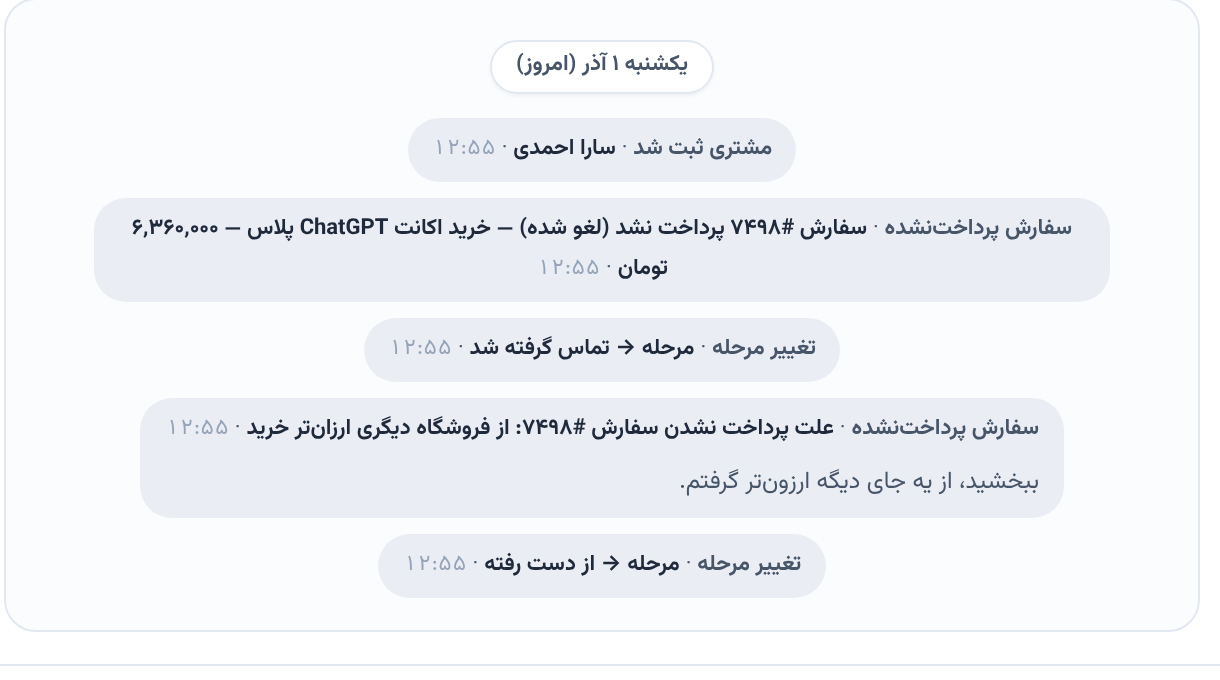
- The lead moves. Price, changed mind, bought elsewhere or no trust: the lead goes to the lost stage and the reason lands in the lost-deal reasons. A payment problem, "I'll pay later" or a question: the lead goes to the follow-up stage with a reminder for tomorrow for whoever holds it.
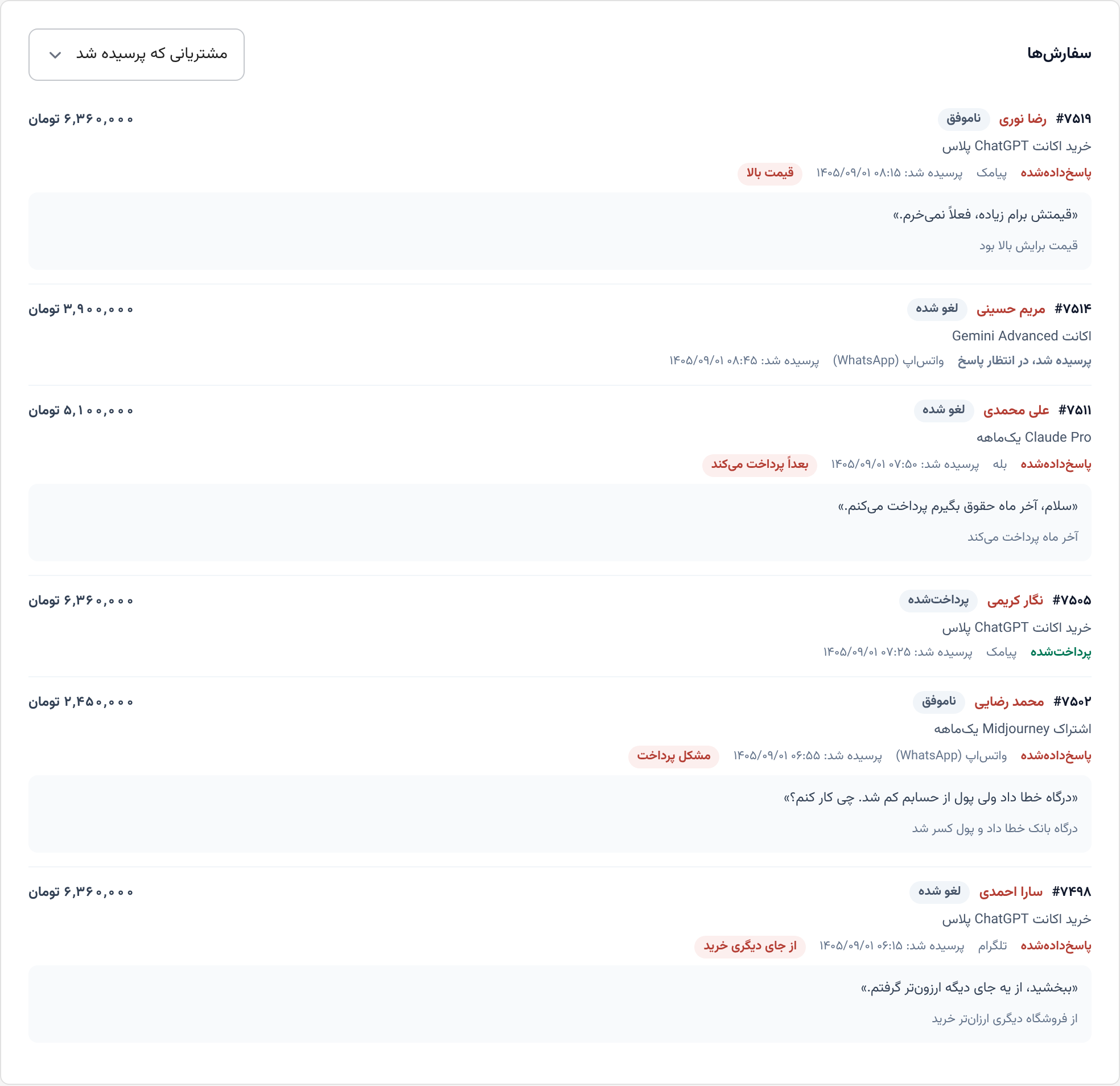
- An Unpaid orders page. How many customers were asked, answered and paid after the follow-up, the money that came back, the reasons in order, and every order with the customer's reply.

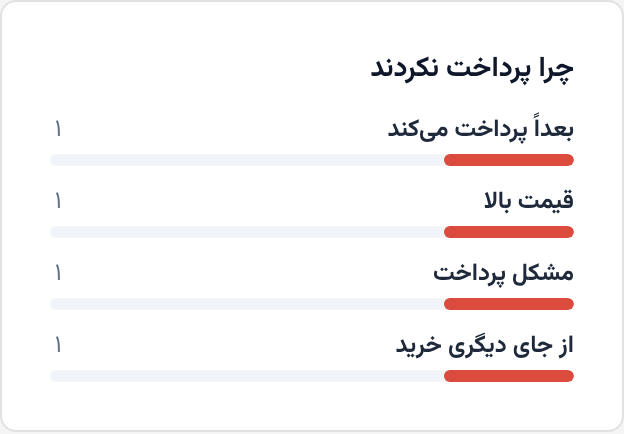
- The bot knows too. If the customer asks about that order in a chat, the automatic reply knows the order and its pay link and helps them finish paying.
- Automations. Two new triggers for your own rules: "A customer is asked why their website order was not paid" and "An unpaid website order is paid after the follow-up", with the order number, total and reason.
How to use it
- Update the Nabu Connector plugin on your WooCommerce site to 1.3.1 (from the WordPress connector page). Older versions work too, but send only the customer's email and no pay link.
- In the Online shop menu open the Unpaid orders tab.
- Under Follow-up settings turn on Ask customers why their order was not paid, choose the Orders to follow up and the minutes, edit the Message to the customer if you like, and pick Stage when asked, Stage when they still mean to pay and Lost stage when not interested. Press Save.
Good to know
- It is off by default, and only orders that arrive after you turn it on are followed up; each order is asked about once.
- A customer who asked not to be messaged, or who is marked as not a customer, gets nothing.
- For WhatsApp, the business WhatsApp number must be connected and be the customers' number, not the team's.
- Reading the reason uses one short AI call per answer, from the business's AI credit.
- Anyone who can see customers can open the page; only somebody who manages the business can change the settings.