Report builder, per-role permissions, allowed addresses and new connections
Build your own reports and keep them on the work desk or have them mailed weekly; decide what each seat may create, read, change and delete; let the team in only from the office's addresses; follow leads and deals and hear when a competitor is named.
Product update 4 min read
What changed
- Report builder. Under Insights → Report builder, pick the records (leads, deals, invoices, tasks or tickets), filter by period, status and colleague, group them (stage, owner, month, status…) and measure a count, a total amount or an average amount. The preview updates beside the form, and months are your business's own calendar months.
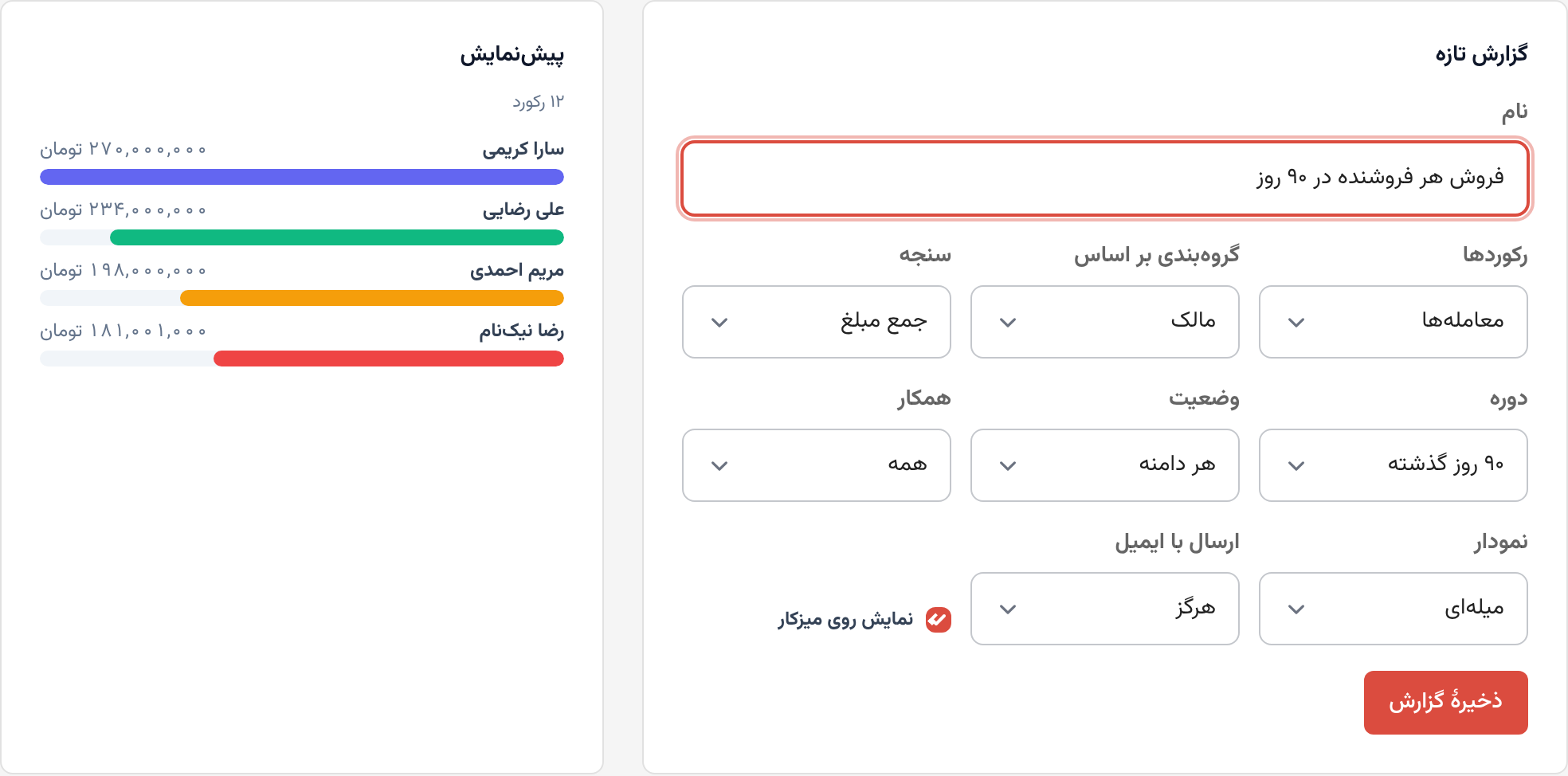
- On the work desk. A report marked Show on the work desk sits in the Your reports card as bars, a pie or one number. Each person sees only what their own seat may read.
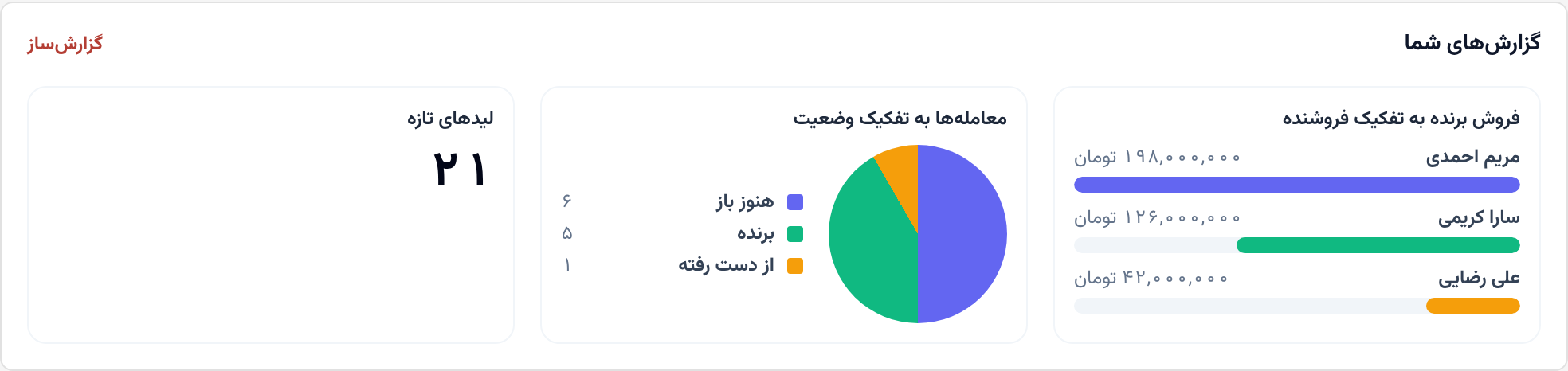
- By email, and the weekly sales digest. Any report can be sent Every morning or Every week to the colleagues you choose (email and a notification). Add the weekly sales digest makes, in one click, a "deals won last week by owner" report mailed to you on the first day of each week.
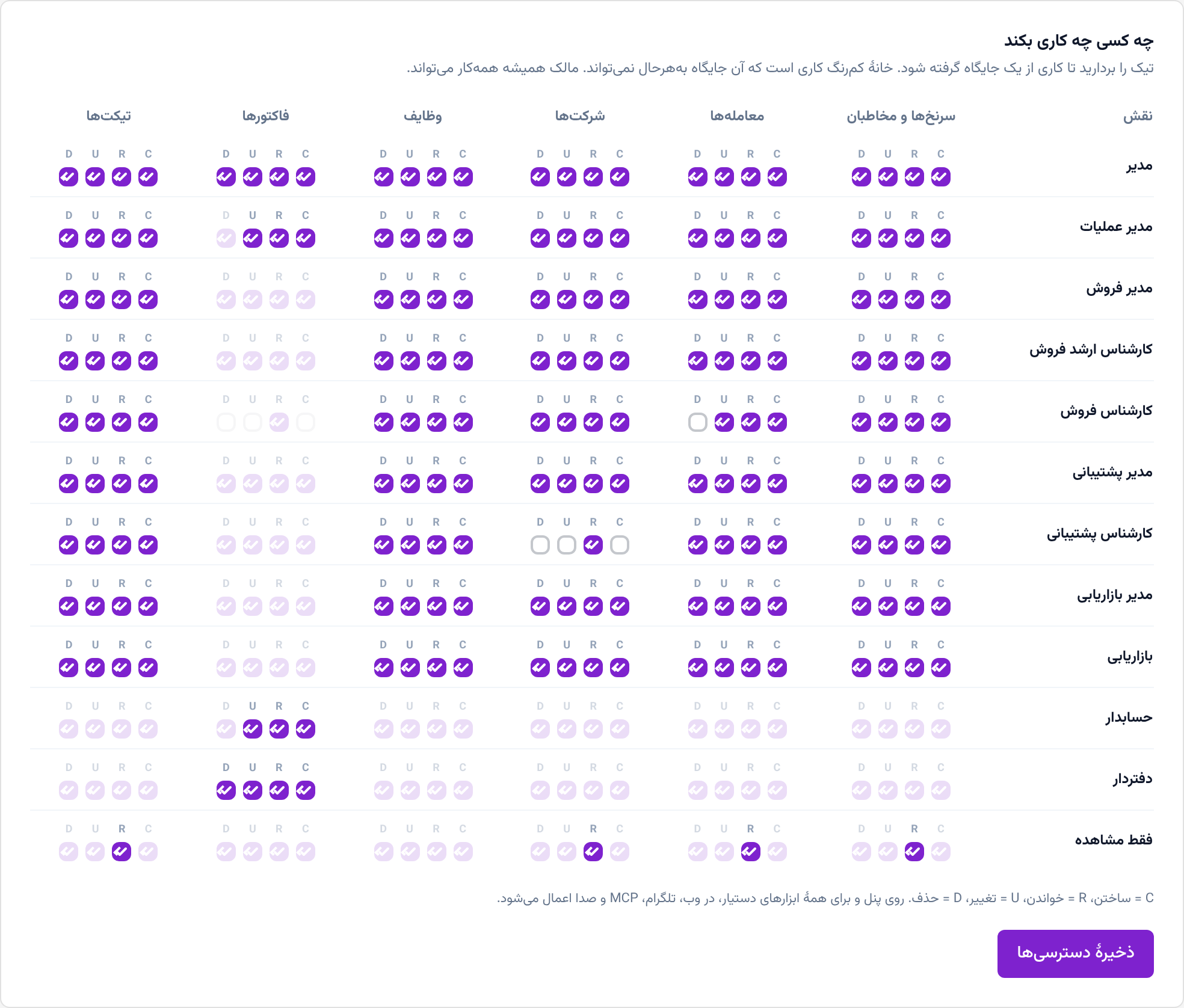
- Who may do what. Under Sales team → Permissions and security, switch create, read, update and delete on or off per seat and per area (leads, deals, companies, tasks, invoices, tickets). It applies on the panel and to every assistant tool — web, Telegram, MCP and voice. The owner can always do everything.
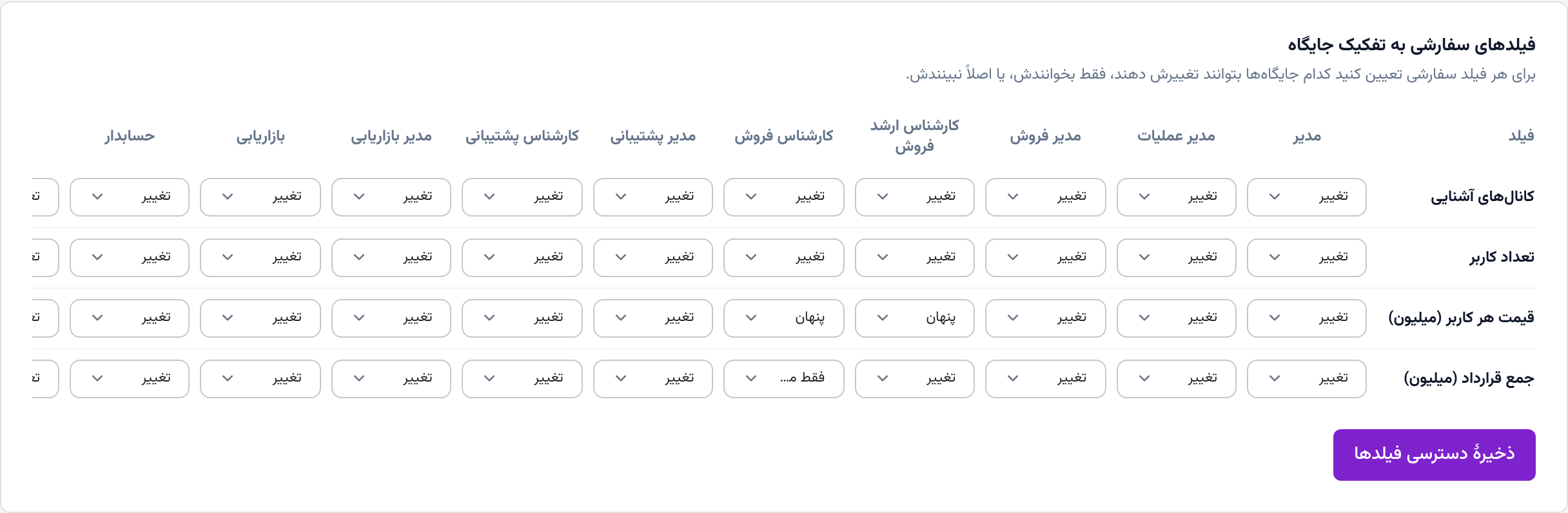
- Access to each custom field. On the same page, choose for each custom field whether a seat may change it, only read it, or not see it at all.
- New custom fields. Custom fields now live on deals, companies and tasks too, with three new kinds: Several choices from a list, Link to another record (a lead, company, deal or task of the same business) and Formula over number fields, such as
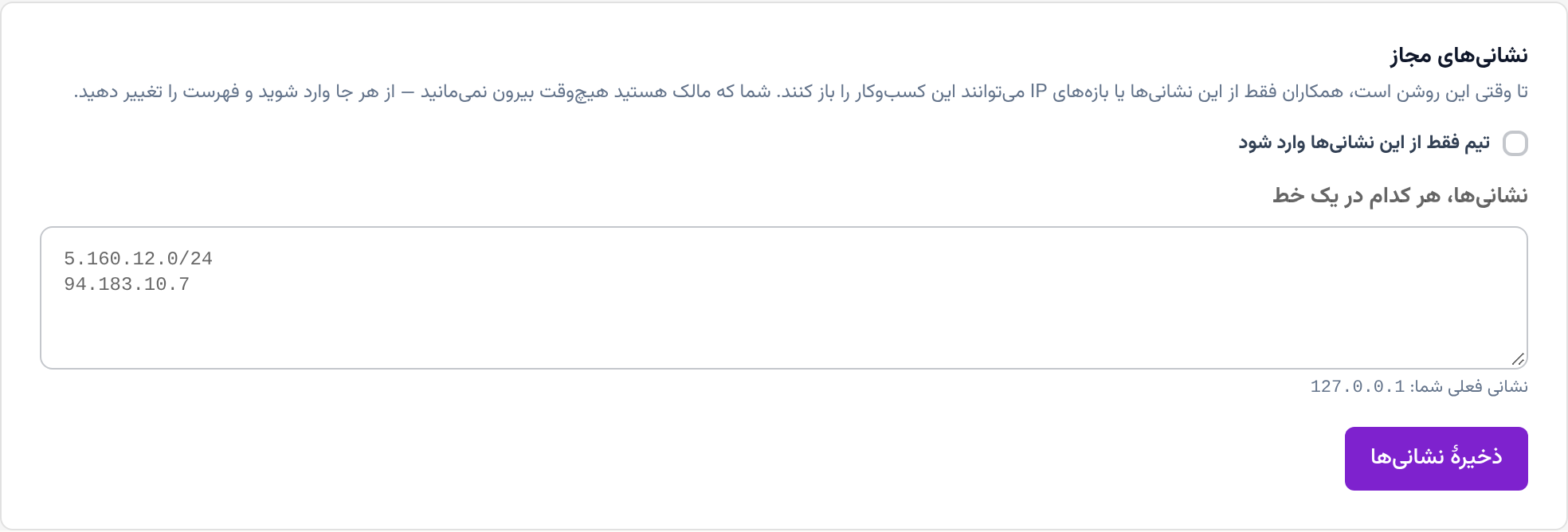
{seats} * {price}, computed for you. - Allowed addresses. The owner can list the office's IP addresses or ranges under Allowed addresses and switch on Only let the team in from these addresses; a colleague arriving from anywhere else is refused. The owner is never locked out and can change the list from anywhere.
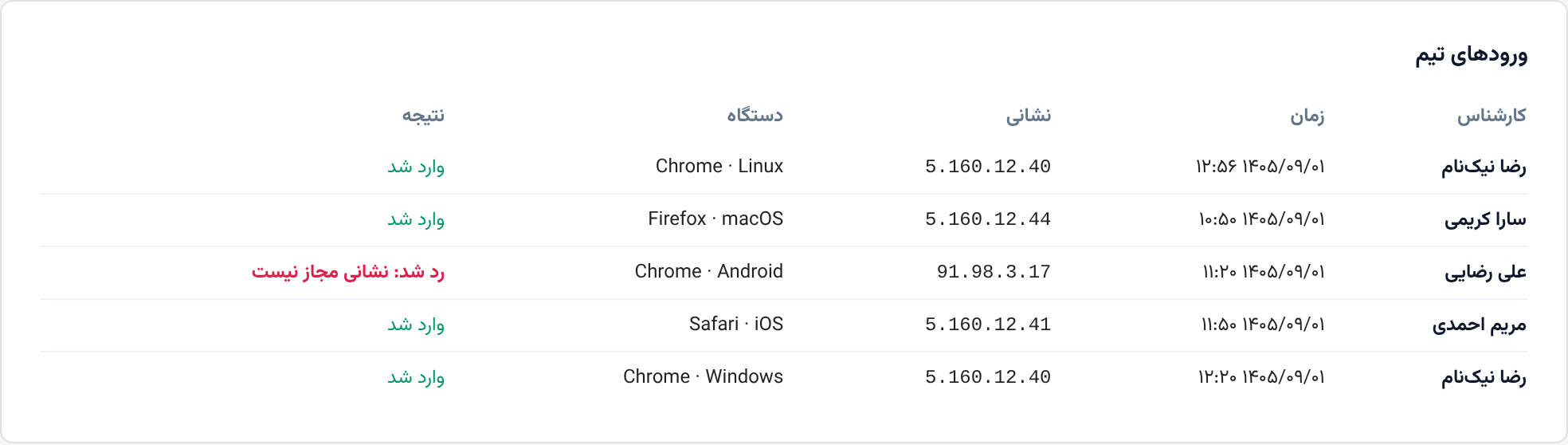
- Sign-in history. Everybody sees their own sign-ins — time, address, device — under Profile → Recent sign-ins, and a team manager sees colleagues' sign-ins and refused attempts under Sign-ins of the team.
- Calendar subscription. Under Profile → Calendar subscription, take your personal calendar address and add it to Google Calendar, Outlook or your phone, and your follow-ups and tasks show there. Make a new address retires the old one at once.
- Follow a lead or a deal. A Follow button at the top of the customer file and beside each deal: you are told when the lead changes stage, gets a note, or the deal is won or lost.

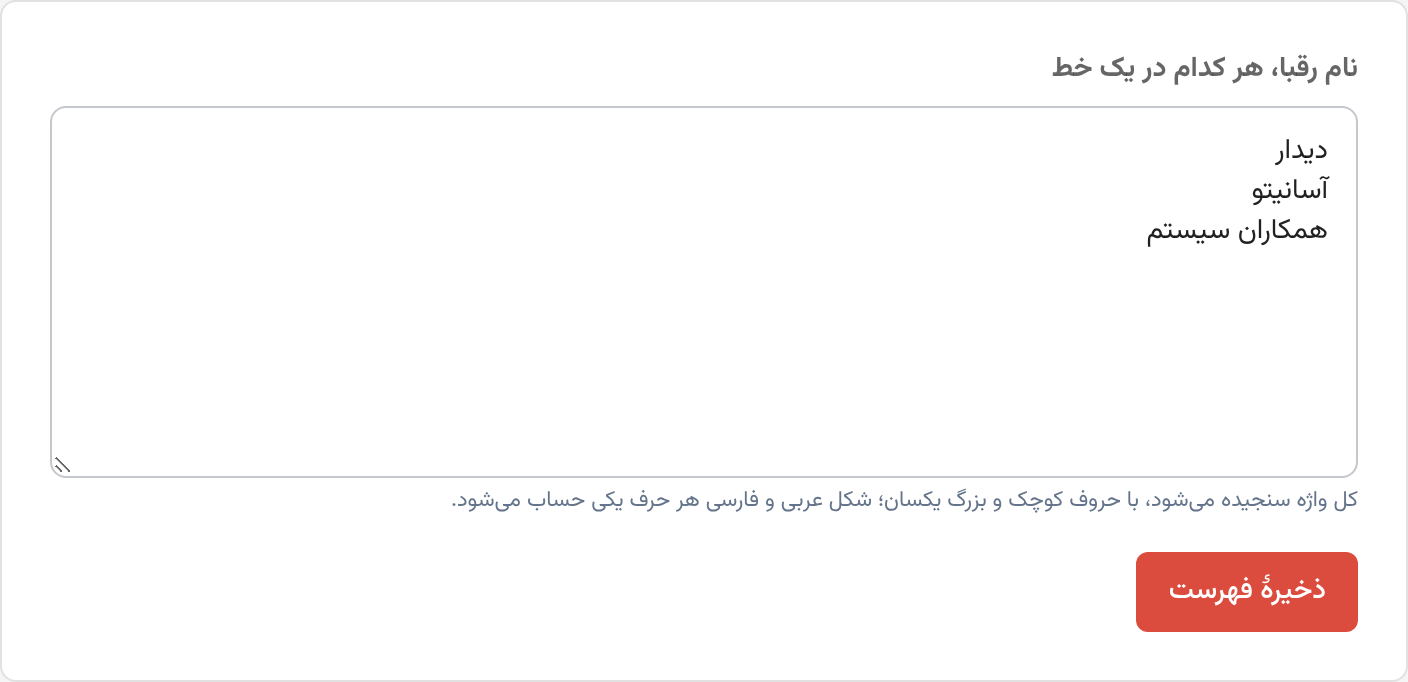
- Competitor alerts. List your competitors under Insights → Competitor alerts; when a customer names one in a message or a colleague writes one in a note, whoever holds the lead is notified at once.
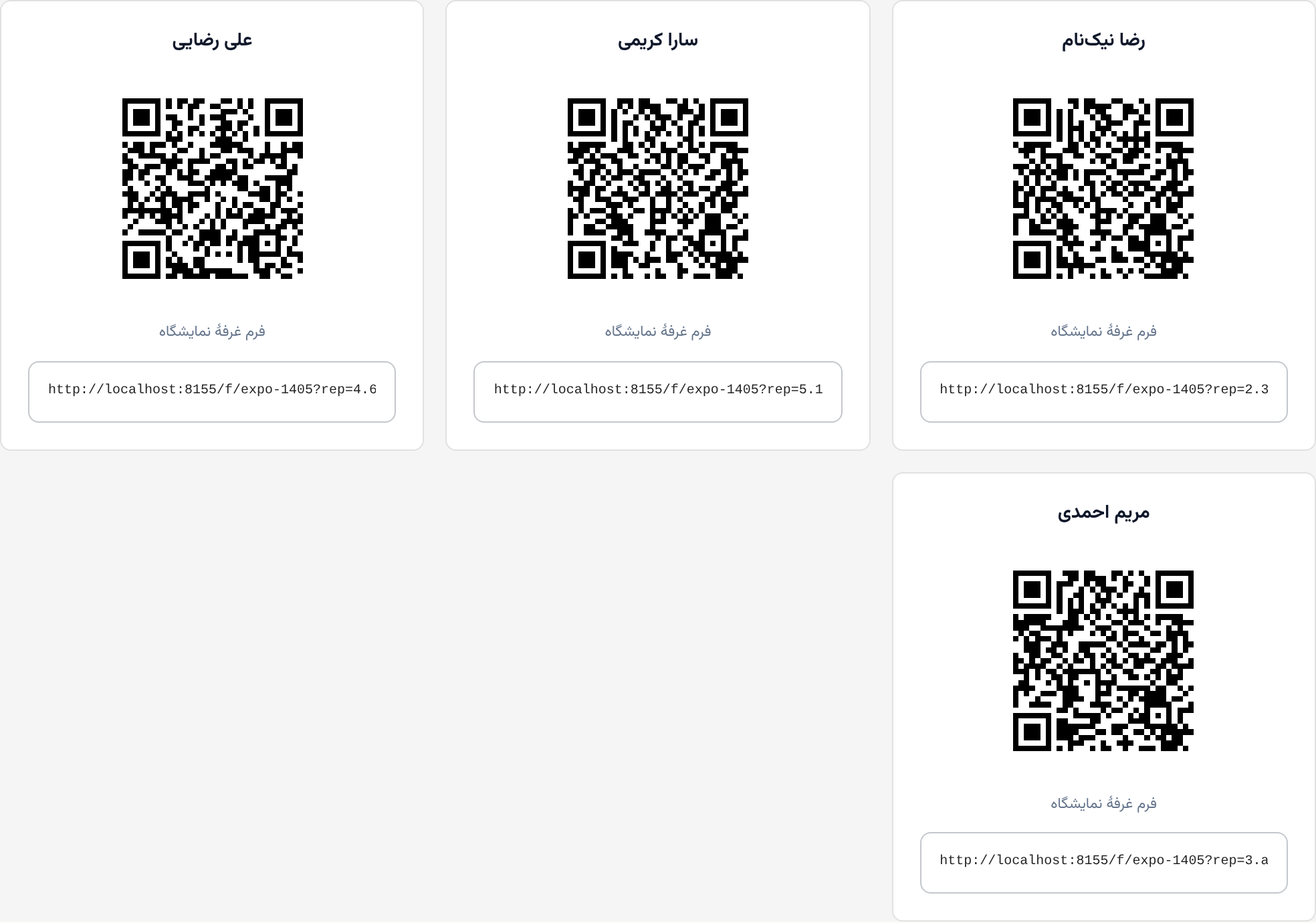
- Exhibition QR per salesperson. Under Sales team → Exhibition QR codes, pick a form and print each salesperson's own code; a lead who fills the form from their code lands straight with them.
- Iranian cloud phones. Under Connections book → Phone system, with the cloud PBX kind, ready settings for Telephonchi, Gap, Tiba and Avanak fill in with one tap; you add your own API key. The addresses are a starting point to check against the provider's panel.

How to use it
- Insights → Report builder: pick the records, group-by and measure, name it and press Save the report. To mail it, fill Send by email and Who receives it.
- Sales team → Permissions and security: untick what a seat must not do and press Save who may do what; for fields, Save field access.
- Owner: on the same page, write one address per line, switch on Only let the team in from these addresses and press Save the addresses.
- Profile → Calendar subscription → Show my calendar address, then add the address to your calendar.
Good to know
- If the owner has lost their own account, support switches the list off with
php artisan crm:ip-allowlist {business} --off. - The permission matrix only narrows: ticking something a seat cannot do anyway grants nothing.