SMS and marketing — Iranian operators, two-way SMS, message templates, scheduling, A/B tests and satisfaction surveys
Kavenegar, SMS.ir, Melipayamak, Magfa and Ghasedak join NabuSms and IPPanel; a customer's reply to a text lands in the inbox; SMS and email templates with placeholders; SMS and email campaigns can be scheduled and SMS can test two texts. The customer club texts points and new levels and shows its impact, a closed ticket asks the customer how it went, and a contract's end is now announced to the customer too.
Product update 4 min read
What changed
- More SMS operators. In SMS marketing (NabuSms) → SMS gateway and AI follow-up, the SMS provider list now has Kavenegar, SMS.ir, Melipayamak, Magfa and Ghasedak too. Each business enters its own key and line; keys are stored encrypted and one business's key is never used for another. Send a test SMS proves the saved settings work.
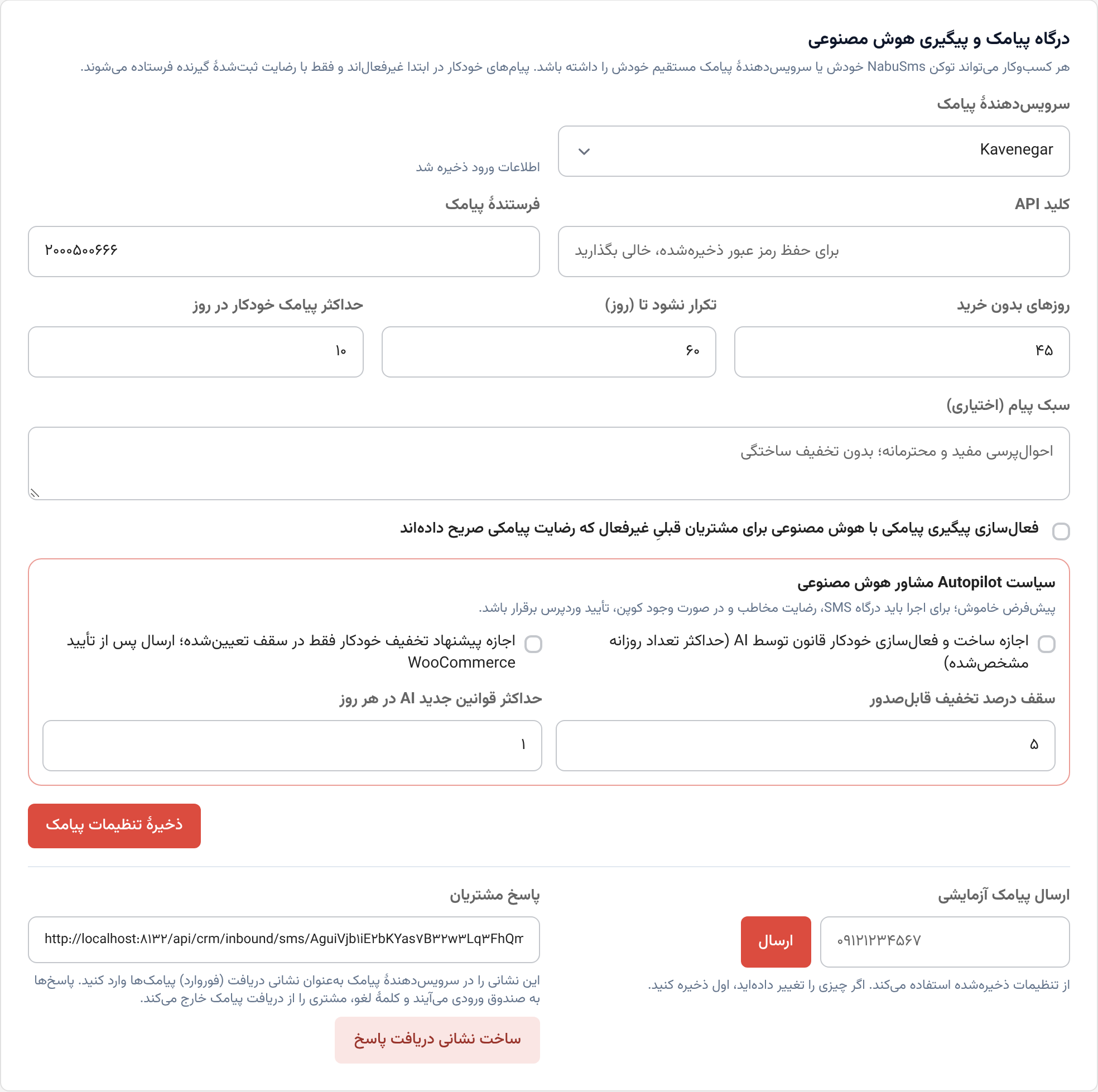
- Two-way SMS. Make a reply address gives you a private address to enter in your operator's panel as the receive (forward) URL. A customer's reply lands in their conversation in the inbox and on their file, and a stop word such as "لغو" opts them out of marketing texts. Your answer from the inbox goes out over your business's own line.
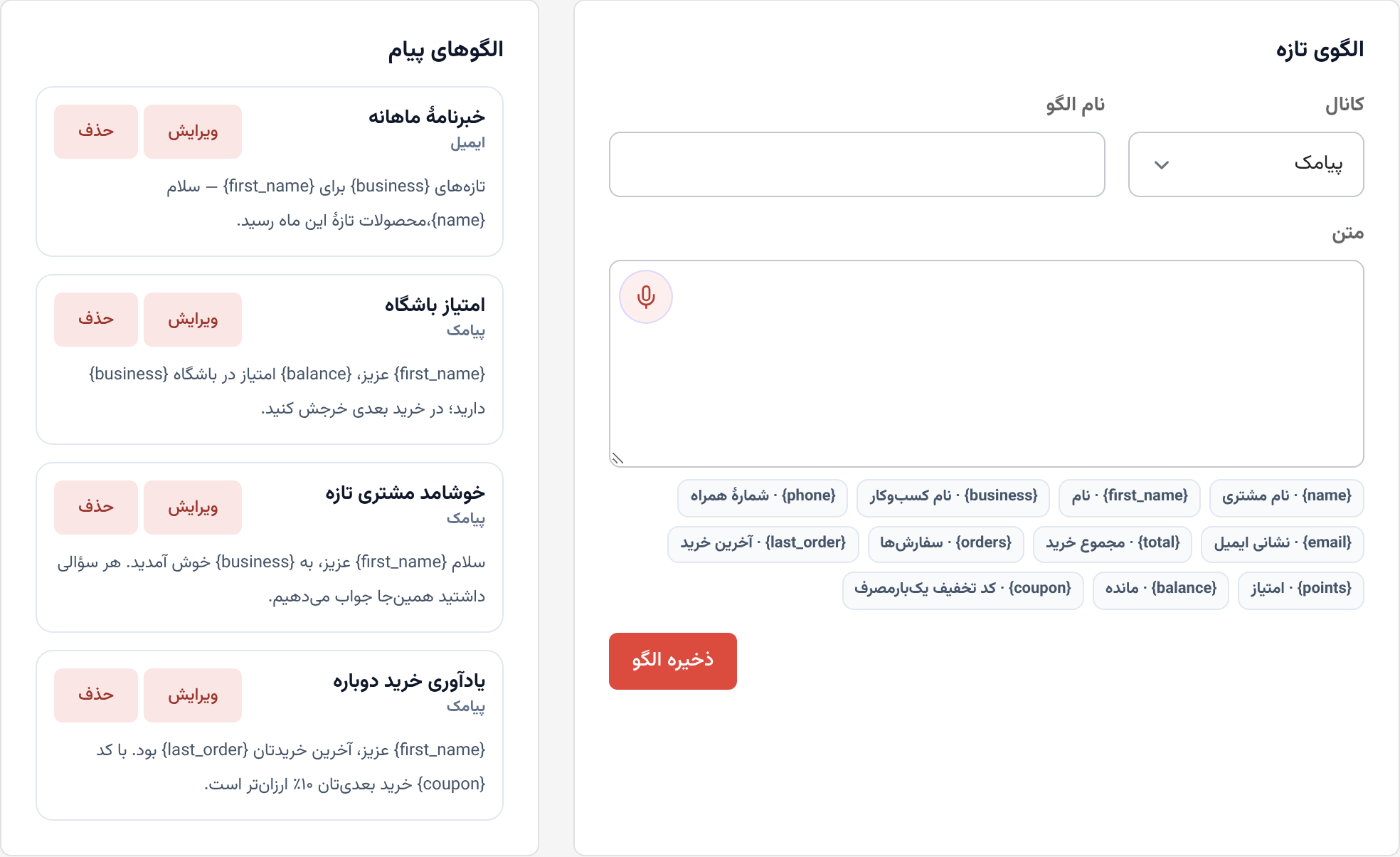
- Message templates. In Message templates, write SMS and email texts once with placeholders such as
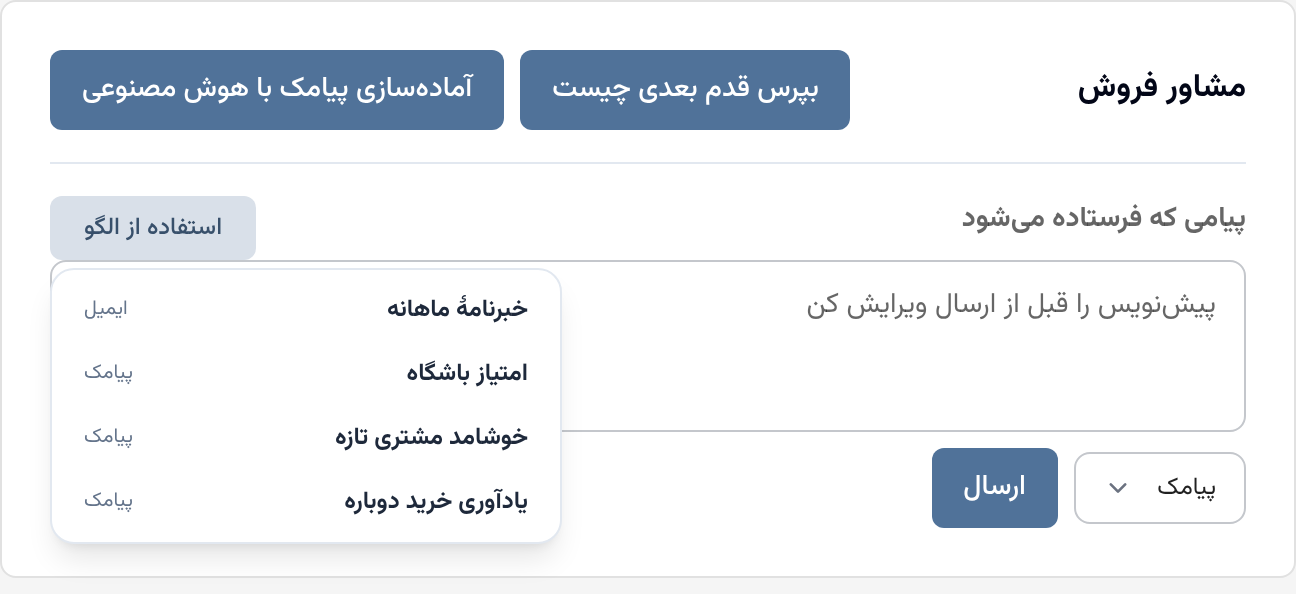
{first_name},{business},{last_order}and{balance}. The customer file (the Sales advisor tab) and the SMS and email campaign forms have Use a template; on the file the placeholders are filled for that customer at once, and nothing goes out until you press Send. Every sender now fills placeholders the same way.
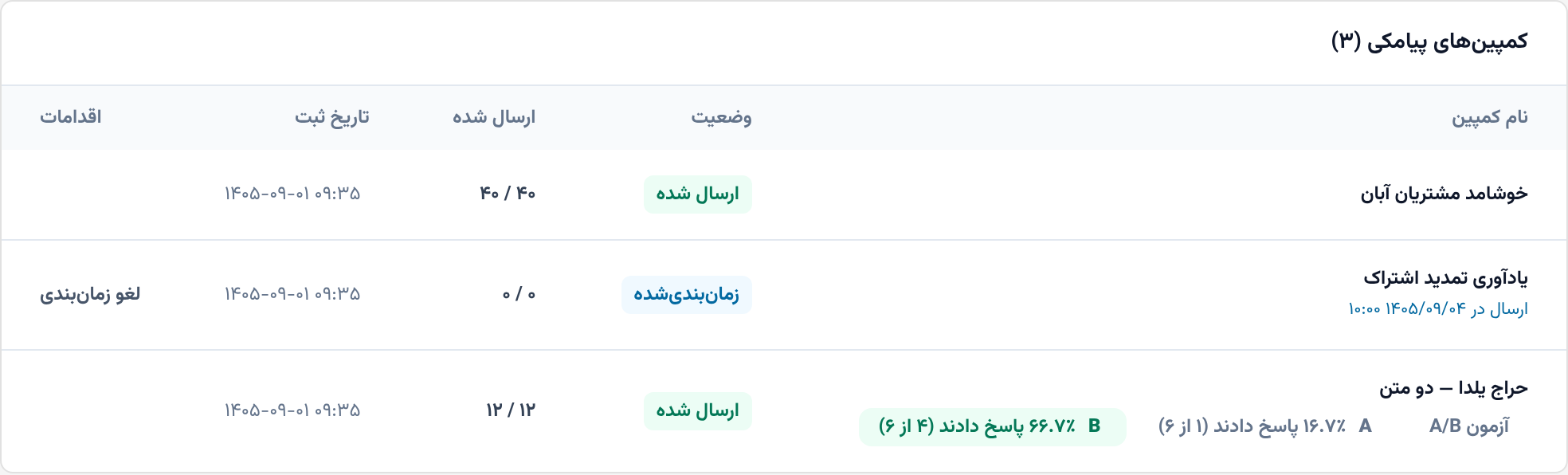
- Scheduled campaigns. In Create a new SMS campaign and in the email campaign form, fill Send later (optional) and the campaign goes out at that time. A campaign due at night waits until 08:00, and opt-outs and SMS consent are honoured as always. Until it goes, Cancel the schedule turns it back into a draft.
- SMS A/B test. With A/B test: try a second text, write a second text and pick How to split: Half the audience each text, or Test on a share, then the better text to the rest. The winner is judged by replies or purchases within a few days of the send, and each text's result shows beside the campaign.
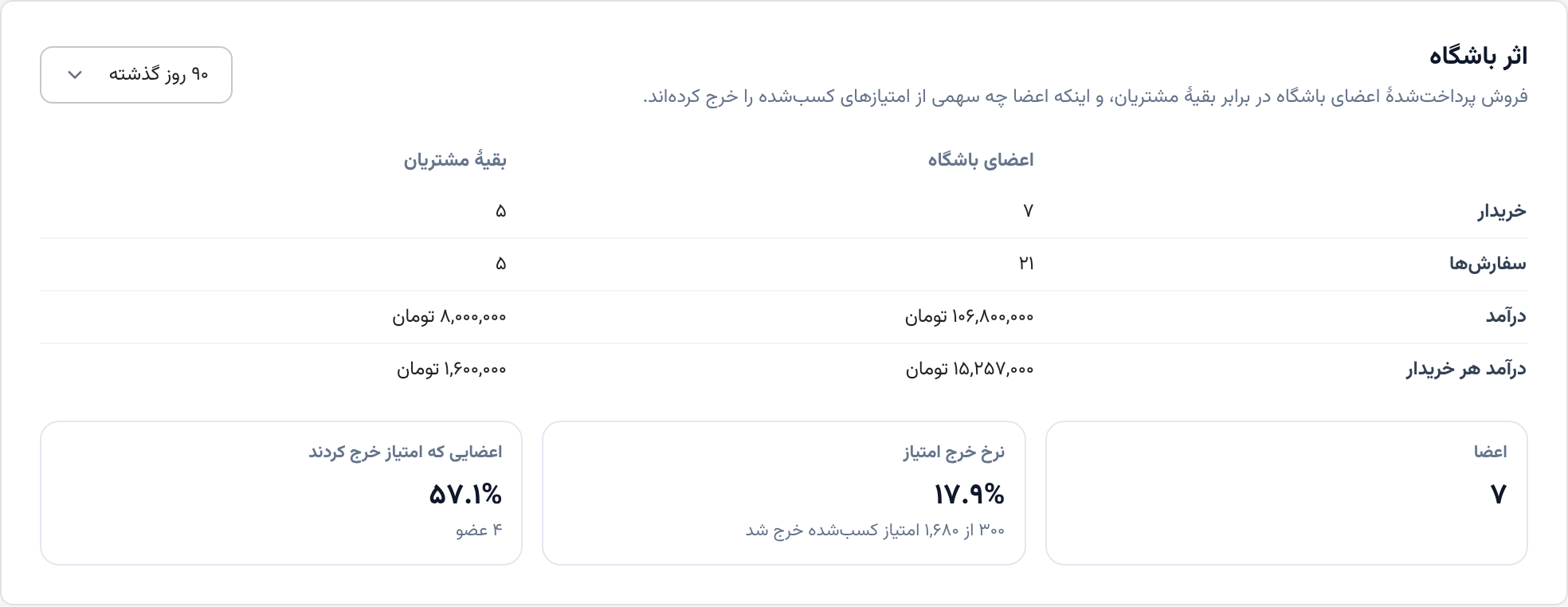
- Customer club. Loyalty and coupons (NabuLoyalty) → Settings has two new switches: Text the customer the points a purchase earned and Text the customer when they reach a new level. The new Club impact tab sets members' sales against everybody else's and shows the redemption rate.
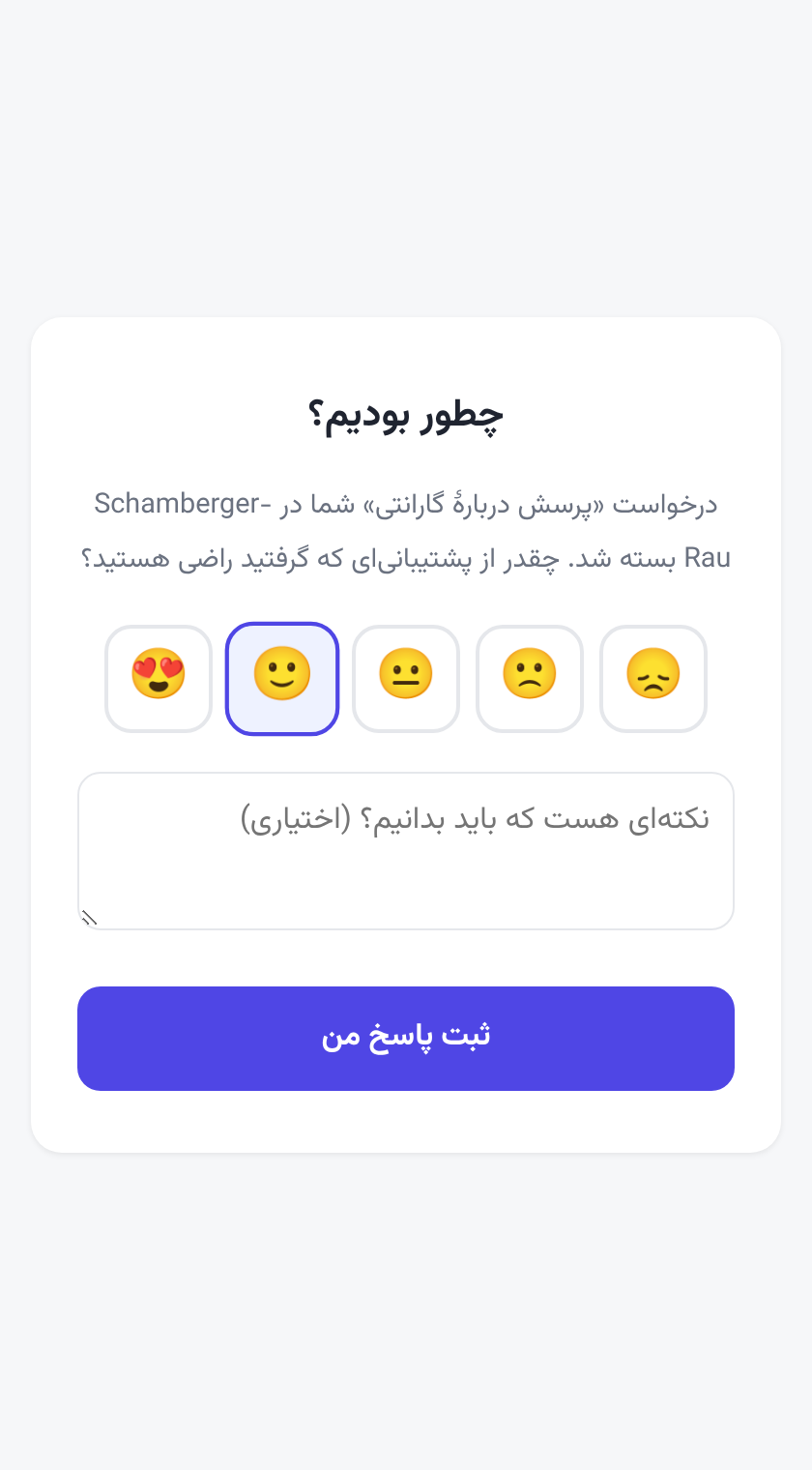
- Satisfaction survey after a ticket. In Support tickets, switch on Ask the customer to rate the support after a ticket is closed. The customer gets a link, rates 1 to 5 in one tap, and the score lands on the ticket and in the Customer satisfaction bar at the top of the page. Closing a ticket is now also an event automations and webhooks hear.

- Renewal reminder to the customer. In Contract signing (NabuSign), set Remind the customer before their contract ends to the number of days you want; the customer gets one text (or an email when no text can go). Your own two-week reminder stays as it was.

How to use it
- Open SMS marketing (NabuSms), choose the SMS provider, enter its key and line and press Save SMS settings. Then type a number and try Send a test SMS.
- For two-way SMS press Make a reply address and paste the address into the receive or forward setting of your operator's panel.
- Make a few templates in Message templates and use them from the customer file or a campaign form with Use a template.
- In Create a new SMS campaign, fill the second text and the send time if you want them, and save the campaign.
Good to know
- The reply address works like a password. If it leaks, press Make a reply address again; the old one stops working.
- Club, survey and contract texts take the business's usual road: if Delivery and consent puts the chat apps first or requires SMS consent, that applies here too.