The console's thread-column buttons are now icons
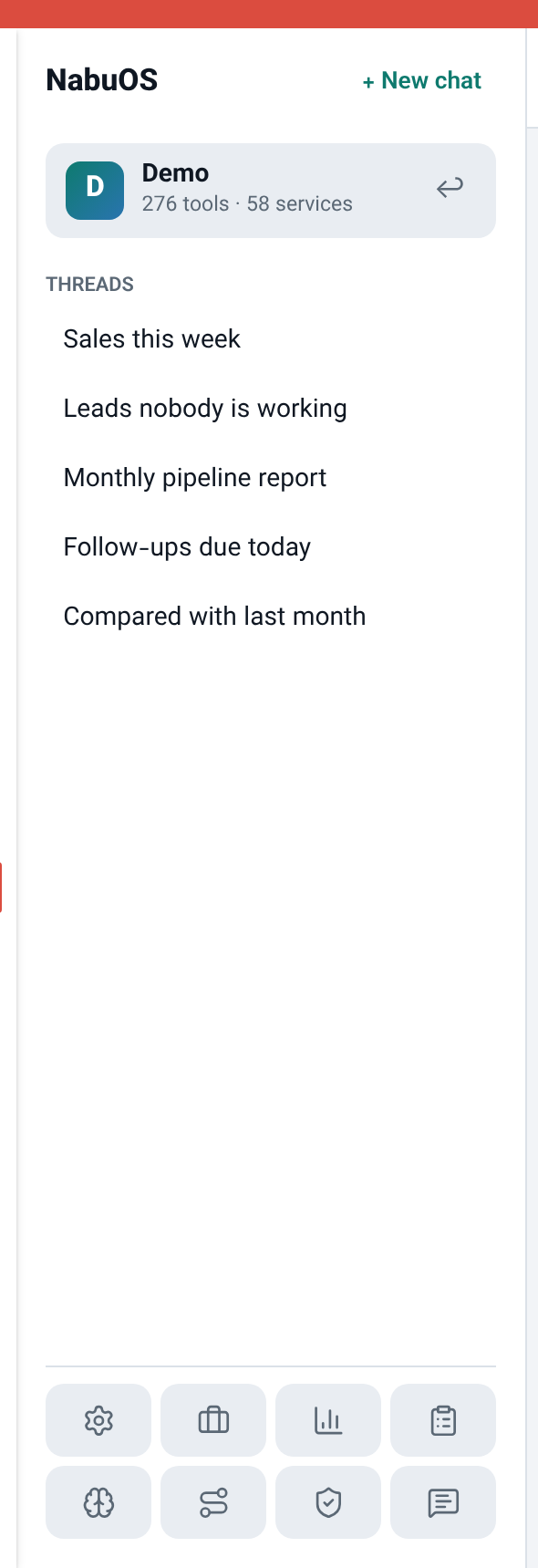
The eight full-width buttons at the foot of the console's Threads column took half of it. They are now two rows of icons side by side, and the threads get the room back. Hover an icon to see its name.
Product update 1 min read
What changed
At the foot of the console's Threads column, "NabuOS settings", "Work desk", "Operations reports", "Operations", "Memory", "Process studio", "Trust & access" and "Simple mode" were each a full-width button, together half the column; the list of threads had a few rows left.
They are now two rows of icons side by side, and the rest of the column belongs to the threads. "Install app" joins the same icons when the browser offers installation.
How to use it
- Open the console.
- Hover any icon at the foot of the Threads column to see its name; "NabuOS settings" and "Trust & access" also show the number of services.
- Click the icon to open that page.
Good to know
- The icons open the same pages as before, and each person sees only the icons their seat allows.
- On a phone the icons sit at the foot of the Threads drawer and are larger for touch.