Choose the account and businesses when reconnecting CRM
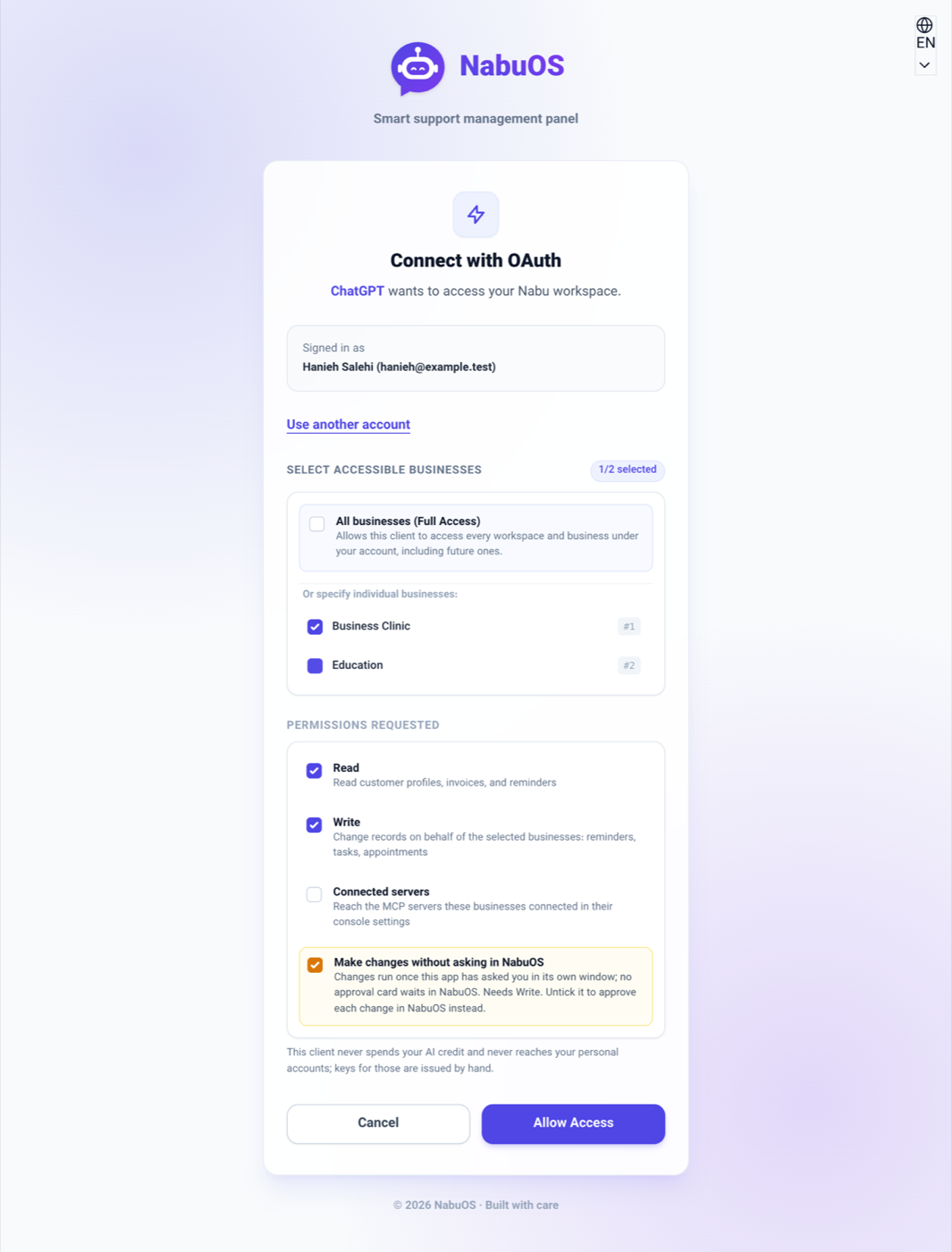
Interactive MCP connections show the account and business choices again, with a way to sign in using another account.
Product update 1 min read
What changed
A remembered approval no longer hides the account and business picker during an interactive connection. Use another account signs out explicitly while preserving the client's callback and PKCE request. Selecting all current businesses no longer automatically grants future businesses.
How to use it
- Open the CRM connection from your MCP client.
- Check the signed-in email. Use another account if needed.
- Choose the intended businesses and approve. Full access including future businesses is a separate choice.
Good to know
Existing connections retain their granted permissions. Silent OAuth requests can reuse prior approval. Changing accounts does not grant access or move existing records.