New skin — Liquid Glass
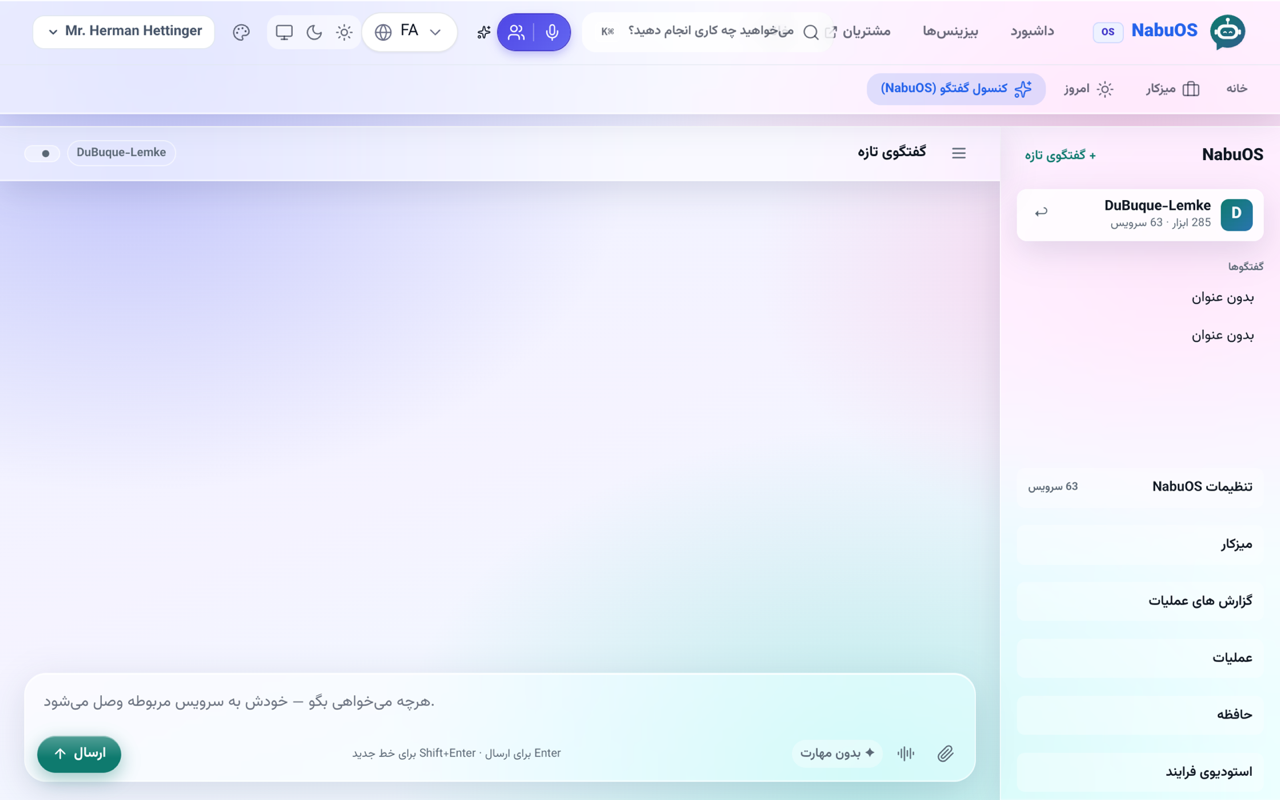
A new panel skin — cards, bars, menus and the AI console become frosted glass over a soft colour field, in both light and dark mode.
Product update 1 min read
What changed
Next to the Mizito, Windows, macOS, iOS, Material and Odoo skins there is now a Liquid Glass theme:
- Cards, the top bar, the sidebar, the dock and the ⌘K search become frosted panes with a lit top edge.
- The AI console goes fully glass too — thread list, message bubbles and composer — and your own messages wear the accent as tinted glass, so the conversation stays easy to follow.
- In dark mode the field deepens and the glass turns smoky.
How to use it
- Press the palette (panel skin) button in the top bar.
- Choose Liquid Glass theme.
Good to know
- With "reduce transparency" on in your operating system, panes are drawn solid so text always stays readable.
- The skin is per device; it changes nothing for your colleagues.